For bulk buyers, the best Ips Lcd Display is not automatically the panel with the brightest screen or the lowest quote. It is the one that performs consistently across the intended application, order volume, and production schedule. Omdia’s Display Long-Term Demand Forecast and DSCC’s Quarterly Display Supply Chain Monitor track panel demand, supply, and manufacturing conditions. Their market perspective is useful, but buyers should confirm whether a report’s category covers IPS LCD specifically; broad display totals are not an IPS-only forecast.
A sound comparison starts with measurable details. Check resolution, brightness, contrast, viewing angle, interface, operating temperature, and the supplier’s stated tolerance for dead pixels. Ask for sample units, inspection criteria, production lead times, and a written change-notification process. A panel that looks crisp on a desktop may disappoint under warehouse lighting or behind protective glass. Small differences matter at scale.
Display analyst Ross Young, founder of Display Supply Chain Consultants, is a relevant industry voice on panel markets. However, I cannot verify a verbatim quotation from him on bulk IPS LCD purchasing, so I will not invent one. His market research can inform supply-side context; procurement decisions still need product-specific evidence. Request current datasheets and sample test results. Then compare landed cost and consistency—not just the unit price. Bulk buying rewards careful checks. One caveat remains: supplier claims should be verified against actual samples.
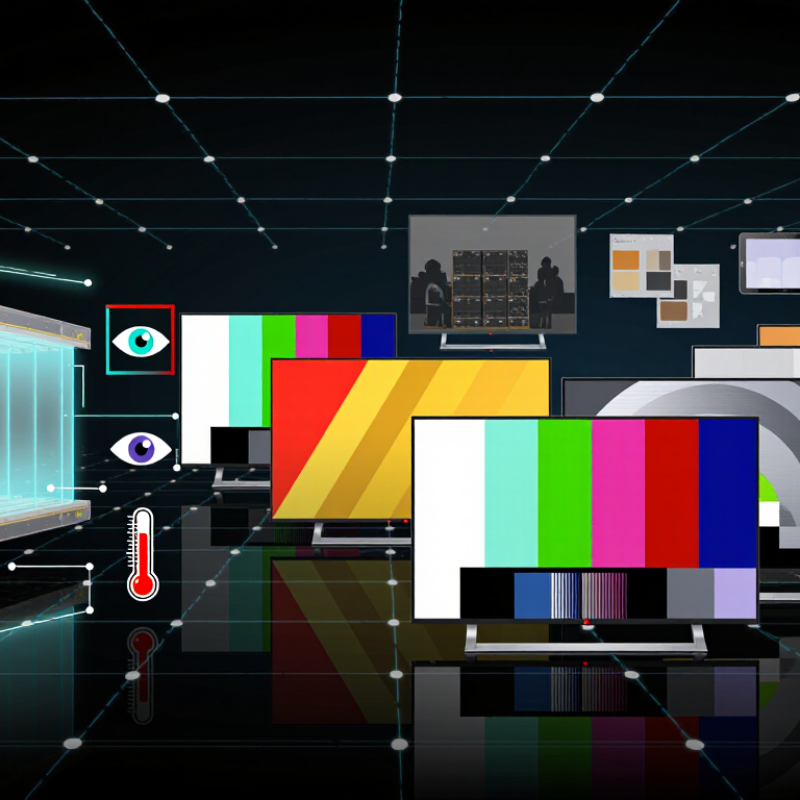
IPS LCD panels use a backlight behind liquid crystals arranged in parallel. Electrical signals change how much light passes through each pixel. This structure helps maintain color and contrast when viewed from the side. That helps. It can matter on a shared control panel or a display mounted above eye level. IPS screens often show consistent colors across wider viewing angles than many other LCD types. They do not produce their own light, however, so black areas may look gray in a dim room. A bright panel can also use more power.
For bulk buyers, the technology is only part of the decision. Compare samples under the same lighting, then check color consistency, dead pixels, brightness, and viewing angles. Inspect screens from the center and from both sides. Ask for measurements at the intended brightness, not just peak figures. Small shifts matter. IPS panels can vary between production batches, and a good sample does not guarantee identical units throughout an order. Uniformity is easy to underestimate. Also consider the installed environment: reflections from overhead lights can reduce readability, even with a wide viewing angle. A short pilot order may reveal practical issues that a specification sheet misses.
For bulk buyers, an IPS label is only a starting point. Compare the active display size and native resolution against the product’s viewing distance. A 5-inch panel at 800 × 480 may suit a basic control screen, while dense interfaces need finer detail. Check pixel pitch and confirm the supplier’s drawing matches the finished module. Small mismatches can complicate assembly.
Brightness matters in the real environment. Ask for measured luminance in nits, then consider whether the screen sits behind tinted glass or near a bright window. Review contrast ratio and viewing angles, too; colors may shift when users view the panel from the side. Numbers need context. Check the test conditions. Confirm the interface, connector position, voltage, and backlight power before ordering samples. For larger quantities, compare operating temperature range, rated backlight life, and lot-to-lot color consistency. Request inspection records and test several samples under the same settings. A specification sheet can look reassuring, but it may not capture every production variation. I would not treat the lowest price as proof of value. Sometimes the overlooked connector is the costly part.
For bulk buyers, an IPS LCD should fit the product, not just the quotation sheet. Start with the viewing area. A 5-inch screen may suit a handheld meter, while a 10-inch panel gives a dashboard more room for labels and controls. Check the active display dimensions, mounting space, and bezel before placing an order. A few millimeters can disrupt an otherwise finished enclosure.
Resolution depends on what users must read. A simple status screen may work well at modest resolution, but fine charts and small text need sharper pixel density. Compare the expected viewing distance, too. More pixels are not automatically better; they can raise cost and processing demands without improving the user experience. That trade-off is easy to miss.
The interface must match the host system and the cable path. Parallel interfaces can suit designs needing straightforward, fast data transfer, while serial options may reduce pin count and wiring complexity. Confirm supported timing, connector pitch, voltage, and cable length with the display specification. Ask for a sample and test it in the actual enclosure. A bench test alone can miss glare, awkward viewing angles, or a connector that bends too tightly. We sometimes focus too much on the headline specifications. The details matter.
| Typical Display Size | Example Resolution | Approx. Pixel Density | Common Interface Options | Typical Brightness Range | Potential Application Fit | Bulk-Buying Checks |
|---|---|---|---|---|---|---|
| 2.4 in | 240 × 320 pixels | About 167 ppi | SPI or parallel RGB, depending on module | About 250–500 cd/m² | Handheld meters, compact controllers, and small user interfaces | Confirm connector pinout, touch-panel availability, and whether the host can support the selected interface. |
| 3.5 in | 320 × 480 pixels | About 165 ppi | SPI or parallel RGB, depending on module | About 250–600 cd/m² | Portable instruments, access terminals, and embedded control panels | Check usable viewing area, touch type, mounting dimensions, and controller compatibility. |
| 5.0 in | 800 × 480 pixels | About 186 ppi | Parallel RGB; some modules use other interfaces | About 300–800 cd/m² | Industrial HMIs, vehicle equipment, and countertop devices | Verify the complete timing requirements, backlight power, and availability of the exact resolution and connector configuration. |
| 7.0 in | 1024 × 600 pixels | About 169 ppi | Parallel RGB or LVDS, depending on module | About 300–1000 cd/m² | Control panels, diagnostic equipment, and information terminals | Match the interface to the host board and review brightness, thermal conditions, and enclosure depth. |
| 10.1 in | 1280 × 800 pixels | About 149 ppi | LVDS or MIPI DSI, depending on module | About 300–1000 cd/m² | Large-format HMIs, medical equipment, and interactive kiosks | Confirm display timing, cable length limits, backlight drive requirements, and mechanical fit before committing to volume. |
Figures are representative examples of commonly available IPS LCD module configurations, not guaranteed specifications. Actual brightness, interface, operating temperature, viewing-angle ratings, and mechanical dimensions vary by module. Confirm the current datasheet and sample performance for the exact configuration before placing a bulk order.
For bulk buyers, a dependable IPS LCD supplier matters as much as the panel’s advertised brightness or resolution. Ask for a current datasheet, production capacity, and a sample from the same specification offered for mass production. Check viewing angles, color consistency, brightness, connector placement, and operating temperature. A clean sample is useful, but it cannot prove every unit will match.
Set acceptance criteria before placing an order. Inspect a pilot batch for dead or stuck pixels, uneven backlighting, scratches, and connector defects. Test screens at consistent brightness, using the same pattern and viewing conditions. Keep a signed reference sample, and ask the supplier how production changes are documented. No checklist catches everything. I would also record serial numbers and test results, even when the process feels repetitive.
Bulk reliability shows up in communication and packaging, not just factory tests. Confirm lead times, carton protection, replacement procedures, and how shortages are handled. Request updates if a component or production step changes. A small trial order can reveal weak packing or slow responses before a larger commitment. It costs time. Still, buyers sometimes trust polished samples too quickly; I would not assume that a smooth first shipment guarantees consistent quality across later batches.
2026 Best IPS LCD Display for Bulk Buyers?
For bulk buyers, the lowest unit price can hide the real cost. Calculate the display, controller, cables, tooling, inspection, packaging, freight, and expected rejects together. A small change in brightness or connector position can also require a costly redesign. Compare quotes against the same specification, order quantity, and delivery terms. Otherwise, the spreadsheet may look precise while comparing different products.
Lead time needs separate checks. The World Bank’s 2023 Logistics Performance Index reports an average of 44 days for international shipments from origin to destination. That is a broad logistics benchmark, not a promise for any particular route. Add the supplier’s production schedule, sample approval, transport, and receiving inspection. Ask for written capacity and replenishment estimates, plus notice periods for component changes. Long-term supply deserves scrutiny. A low quote is not a continuity plan.
Tips: Request a dated production schedule and a written end-of-life notification policy. Keep an approved sample and revision-controlled drawings. Ask whether the backlight, connector, and panel have qualified alternatives. Check quarterly availability, not just the first shipment. Small gaps matter. One caveat: forecasts can change, and a second source may not match color or viewing-angle performance without validation.
Illustrative landed-cost model per display, including module, freight, inspection, and inventory carrying cost.
In this hypothetical bulk-buying scenario, modeled totals are $9.00, $13.28, and $17.74 per unit, respectively. Planning assumptions pair these categories with lead times of 4–6, 6–8, and 8–12 weeks and suggested inventory buffers of 1, 2, and 3 months. These figures are examples for comparison, not supplier quotes or guarantees of future availability; confirm pricing, lead times, and lifecycle plans with suppliers before ordering.
„Thanks to the LUVIR technology, the solder resist process could be switched directly from the previously used mask exposure to direct exposure. As an outstanding digital solution on the market, this technology has been able to demonstrate fast process times and superior quality on our certified conventional ink in production. This allowed us to fully digitize the solder mask process at low cost – without process or ink adjustments. An excellent benefit to our production in Rot am See.“
Ralf Göhringer (Head of Production WE Rot am See)
I would definitely recommend the Limata machine and team for a future company purchase
Michael Greenaway
Compunetics Inc.
“The Limata ldi has been amazing!! Best thing we did was buy this machine”
Richard Brady
GM
Circuitlabs
“Since 2019, we have been running the Limata X1000 LDI system (including LUVIR for solder mask imaging) in daily production as an addition to our current process with film. The machine was capable of properly exposing Taiyo PSR-4000 BN (DI) solder mask types on normal to high-copper boards using a new and unique direct imaging process. The machine operating interface is very user friendly which allowed for a quick technical training curve. The pre-registration processing reduced several seconds of production time at every print. Limata support and service staff is incomparable. They supported our team every step of the way at basically any time of the day or night, with literally, an immediate response time, customizing the software interface to best fit our Operations and needs.
We have exposed more than 8,000 prints since end of October, on various solder mask colors and some resist film panels. Limata, has proven to be very capable and innovative. They are a strong contender in the industry.
We have very much enjoyed this project, and working with the team!
Thank you Limata for the continued support and being a part of our growth.”
Bill Sezate
Vice President, GM
Summit Interconnect
As a replacement to our current contact exposure process with film, the LIMATA X2000 system including LUVIR-Technology was capable of properly exposing non-LDI solder mask types using a direct imaging process. The machine offers cutting edge software with a very intuitive operating interface which allowed for quick technician training curve. The dual drawer system combined with pre-registration processing reduced several seconds of production time at every machine cycle. Limata support and service staff is world class. They added software patches to keep production running at shortest possible response times, customized the software interface to best fit our in-house Operations system, and even wrote a step-by-step machine processing manual. As a result of the project, we have exposed more than 16,000 times on various product types and solder mask brands/colors. Limata, in a very short timeframe as a company, has definitely shown they are truly innovative and will be challenging the industry of direct imaging for the top spot.
Kevin Beattie
Process Engineer
TTM Technologies
Forest Grove Division