Global procurement is moving from manual approvals toward connected, intelligent workflows. The market is crowded, yet not every platform fits every buyer. The right automation process tool must connect finance, procurement, customer service, and compliance without creating another data silo.
McKinsey’s 2023 Global Survey on AI reported that 55% of respondents had used AI in at least one business function. Deloitte’s 2024 Global Intelligent Automation survey also highlights growing investment in automation, alongside persistent concerns about integration, governance, and workforce readiness. These findings suggest a practical lesson: adoption is rising, but implementation quality still decides value. Fast demos can hide expensive maintenance.
Thomas H. Davenport, a leading researcher on business process automation, has said, “The goal of automation is not to replace people, but to enable them to do higher-value work.” That principle guides this review of the seven best automation process tools for global buyers. Each option is considered through a buyer’s lens, including workflow depth, integration capability, security controls, scalability, regional support, and total cost of ownership. Real purchasing conditions matter. A platform may perform brilliantly in a pilot but struggle across currencies, languages, approvals, or legacy systems. Buyers should test those details before signing. Even this comparison has limits, because pricing and product features change quickly. Still, the shortlist offers a practical starting point for teams seeking measurable efficiency without losing human oversight.

7 Best Automation Process Tools for Global Buyers
What Automation Process Tools Do for Global Buyers
Automation process tools reduce repetitive work across international purchasing. They can collect supplier quotations, compare prices, and organize product specifications in one workspace. This gives buyers a clearer view when offers arrive from different time zones.
Useful tools include request-for-quotation systems, supplier evaluation platforms, approval workflows, document management software, inventory monitors, shipment tracking tools, currency calculators, and analytics dashboards. Together, they help teams move from a spreadsheet-heavy process to a more controlled purchasing cycle. Automated alerts can flag delayed documents, unusual price changes, or stock levels that need attention.
Speed matters.
In my experience, automation works best when each workflow has clear ownership. A buyer can create a request, route it for approval, and preserve the decision history for later review. Document tools also help teams check certificates, specifications, and commercial terms before an order progresses. Still, automation is not a substitute for professional judgment. A poorly maintained supplier record can produce a confident but inaccurate comparison. Currency data may also require manual verification, especially during market changes. Human review remains important for quality, delivery reliability, and unusual purchasing conditions. Good systems make decisions easier to inspect, not impossible to question.
What Automation Process Tools Do for Global Buyers
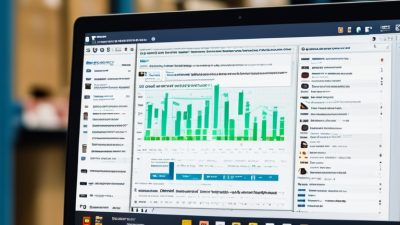
The chart ranks seven core automation capabilities by practical value for global procurement workflows. The index is based on repeatability, rule-based decision-making, structured data availability, and the potential to reduce manual coordination across suppliers, logistics providers, finance teams, and compliance functions.
Choosing among the 7 best automation process tools for global buyers requires more than comparing features. International procurement involves currencies, time zones, supplier documents, customs data, and approval controls. A useful tool should connect these steps without hiding important decisions. Look for configurable workflows, clear audit trails, role-based access, and reliable reporting. It should also support local tax rules and data protection requirements in each operating market.
Test the tool with a realistic purchase order. Include a currency change, a delayed supplier response, and a missing compliance document. Measure processing time, error rates, approval delays, and user training hours. Ask vendors for security evidence, service-level details, and customer references from similar industries. A polished demonstration proves little. Daily usability matters more.
Tips: Build a weighted scorecard before reviewing software. Give greater weight to compliance, integration, and supplier collaboration. Request a small pilot with buyers from two regions. Watch how the tool handles exceptions, not just standard orders. No scorecard is perfect. Teams may overvalue attractive dashboards and underestimate implementation work. Review results after thirty days, then adjust the evaluation criteria. That uncomfortable revision often reveals the tool’s real value.
Global buying teams need more than faster clicks. They need controlled, visible, and repeatable processes across time zones. The seven best automation process tools for global buyers include workflow orchestration, supplier onboarding, document extraction, approval routing, purchase order control, spend analytics, and supplier communication platforms. Each tool solves a different delay, from missing tax forms to unclear approval ownership.
In practice, workflow automation connects requests, approvals, and purchasing records. Supplier onboarding tools can verify required information and flag incomplete profiles. Document extraction tools read invoices, quotations, and shipping records, reducing manual entry. Approval routing sends requests to the right person based on value, region, or category. Purchase order controls help prevent unauthorized commitments. Spend analytics reveals price differences and repeated buying patterns. Communication platforms preserve messages, updates, and responsibilities in one accessible record.
Reliable systems should support multiple currencies, languages, time zones, and permission levels. Audit trails also matter when teams review a supplier decision months later. I have found that simple dashboards often outperform crowded ones. Less noise helps buyers notice exceptions. Automation still makes mistakes. A document may be misread, or a supplier record may match the wrong entity. Human review remains necessary for unusual transactions, unclear data, and sensitive commercial decisions. Teams should test each workflow with real cases, not only clean examples. Some processes may need redesign before automation can improve them.
Global buyers should compare seven automation tool types: workflow orchestration, robotic process automation, integration platforms, process mining, document extraction, rules engines, and task management. Each solves a different bottleneck. Workflow tools manage approvals, while integration platforms connect procurement, finance, and logistics systems. Process mining exposes delays before automation begins. That distinction matters. According to McKinsey’s automation research, about 60% of occupations contain activities that could be automated, but few processes are fully replaceable.
Feature comparisons should follow a real purchasing scenario. Test invoice capture with multilingual documents, approval routing across time zones, exception handling, audit trails, and human review. Check whether each tool supports APIs, webhooks, standard connectors, and secure identity controls. The World Economic Forum’s Future of Jobs Report 2023 identifies technological literacy as a fast-growing workplace skill, so usable interfaces matter as much as advanced functions. A powerful platform can still fail if regional teams avoid it.
Costs need a wider lens. Include licenses, implementation, data migration, support, training, and usage-based fees. Deloitte’s 2024 Global Human Capital Trends research highlights the growing importance of redesigning work around technology and people. That suggests measuring time saved, error reduction, and adoption, not only subscription price. Request a 30-day proof of concept. It will reveal hidden limits. I would also score integration effort separately; a cheap tool requiring custom middleware may become expensive. Some comparisons remain imperfect, especially when vendors calculate automation volume differently. Use your own transaction data. That is safer.
Selecting an automation tool for global buying requires more than comparing feature lists. Start with one measurable workflow, such as supplier onboarding, invoice matching, or purchase approvals. Map every handoff, exception, and approval level before speaking with vendors. A useful tool should connect with existing finance and procurement systems, support multiple currencies, and preserve clear access logs.
The World Economic Forum’s Future of Jobs Report 2023 found that 75% of companies expect to adopt artificial intelligence within five years. That expectation can create rushed decisions. Choose tools by process fit, data security, integration quality, and local compliance needs. Test the system with real documents from three regions, including unclear invoices and incomplete supplier records. Track processing time, error rates, user adoption, and exception handling during a four-week pilot.
Small details matter. Can a buyer correct a classification without technical help? Can managers see why an approval stopped? The IBM Global AI Adoption Index 2023 reported that 42% of surveyed companies had actively deployed artificial intelligence, while 40% were exploring it. Exploration is not implementation. Teams often underestimate training, data cleanup, and ownership after launch. I have seen promising pilots weaken because nobody maintained workflow rules. That risk deserves attention. Set a named process owner, review performance monthly, and keep a manual fallback when automation behaves unexpectedly.
| Tool Category | Best-Fit Purchasing Process | Core Automation Functions | Typical Integration Methods | Global Buying Advantages | Main Limitations | Implementation Priority |
|---|---|---|---|---|---|---|
| Procure-to-Pay Automation | Purchase requisitions, approvals, purchase orders, goods receipts, and invoice matching | Approval routing, three-way matching, duplicate-invoice checks, exception handling, and payment workflow control | ERP connectors, accounting interfaces, REST APIs, electronic invoices, and file exchange | Creates a consistent control process across countries and improves purchase-to-payment visibility | Requires clean supplier, item, tax, and approval data before deployment | Very High |
| Supplier Management Workflow | Supplier onboarding, qualification, compliance review, and periodic reassessment | Digital questionnaires, document collection, approval stages, expiration alerts, and risk scoring | Supplier portals, email notifications, document repositories, APIs, and identity controls | Supports multilingual documentation, regional compliance checks, and centralized supplier records | Supplier participation may be low without clear instructions and simple forms | Very High |
| Business Process Management Platform | Complex, cross-functional processes involving procurement, finance, legal, and operations | Visual process modeling, rules-based routing, service-level timers, case management, and audit trails | APIs, webhooks, databases, single sign-on, and prebuilt enterprise connectors | Handles country-specific approval paths while preserving a common global process framework | Configuration can become complex and usually requires process governance | High |
| Integration and Workflow Automation | Connecting purchasing, logistics, finance, inventory, and collaboration systems | Trigger-based workflows, data transformation, notifications, scheduled jobs, and error retries | REST and SOAP APIs, webhooks, CSV or XML files, databases, and secure file transfer | Reduces manual re-entry and helps synchronize information across time zones and systems | Integration reliability depends on API quality, data mapping, and monitoring | Very High |
| Robotic Process Automation | Repetitive work in legacy systems that lack modern integration interfaces | Screen-based data entry, file downloads, data copying, rule-based validation, and report generation | Desktop applications, browser interfaces, spreadsheets, email, and virtual desktops | Can automate stable tasks without immediately replacing existing systems | Sensitive to interface changes, exceptions, poor screen layouts, and unstable processes | Medium |
| Document and Invoice Automation | Invoices, purchase documents, customs paperwork, certificates, and delivery records | Optical character recognition, field extraction, document classification, validation, and exception queues | Email inboxes, electronic invoicing, OCR services, ERP systems, and document storage | Reduces manual document processing across languages, formats, and regional invoice practices | Accuracy varies with scan quality, document structure, language, and field complexity | High |
| Process Mining and Analytics | Identifying bottlenecks, approval delays, rework, compliance gaps, and automation opportunities | Event-log analysis, process maps, cycle-time measurement, conformance checks, and performance dashboards | ERP event logs, workflow systems, data warehouses, databases, and business intelligence tools | Provides evidence for prioritizing automation across regions instead of relying only on interviews | Useful results require complete, consistent, and time-stamped process data | Medium |





„Thanks to the LUVIR technology, the solder resist process could be switched directly from the previously used mask exposure to direct exposure. As an outstanding digital solution on the market, this technology has been able to demonstrate fast process times and superior quality on our certified conventional ink in production. This allowed us to fully digitize the solder mask process at low cost – without process or ink adjustments. An excellent benefit to our production in Rot am See.“
Ralf Göhringer (Head of Production WE Rot am See)
I would definitely recommend the Limata machine and team for a future company purchase
Michael Greenaway
Compunetics Inc.
“The Limata ldi has been amazing!! Best thing we did was buy this machine”
Richard Brady
GM
Circuitlabs
“Since 2019, we have been running the Limata X1000 LDI system (including LUVIR for solder mask imaging) in daily production as an addition to our current process with film. The machine was capable of properly exposing Taiyo PSR-4000 BN (DI) solder mask types on normal to high-copper boards using a new and unique direct imaging process. The machine operating interface is very user friendly which allowed for a quick technical training curve. The pre-registration processing reduced several seconds of production time at every print. Limata support and service staff is incomparable. They supported our team every step of the way at basically any time of the day or night, with literally, an immediate response time, customizing the software interface to best fit our Operations and needs.
We have exposed more than 8,000 prints since end of October, on various solder mask colors and some resist film panels. Limata, has proven to be very capable and innovative. They are a strong contender in the industry.
We have very much enjoyed this project, and working with the team!
Thank you Limata for the continued support and being a part of our growth.”
Bill Sezate
Vice President, GM
Summit Interconnect
As a replacement to our current contact exposure process with film, the LIMATA X2000 system including LUVIR-Technology was capable of properly exposing non-LDI solder mask types using a direct imaging process. The machine offers cutting edge software with a very intuitive operating interface which allowed for quick technician training curve. The dual drawer system combined with pre-registration processing reduced several seconds of production time at every machine cycle. Limata support and service staff is world class. They added software patches to keep production running at shortest possible response times, customized the software interface to best fit our in-house Operations system, and even wrote a step-by-step machine processing manual. As a result of the project, we have exposed more than 16,000 times on various product types and solder mask brands/colors. Limata, in a very short timeframe as a company, has definitely shown they are truly innovative and will be challenging the industry of direct imaging for the top spot.
Kevin Beattie
Process Engineer
TTM Technologies
Forest Grove Division