In today’s fast-paced business environment, efficient inventory management is crucial. A reliable solution is the Handheld PDA Scanner. This technology streamlines data collection and enhances accuracy in inventory tracking. With its portability, users can easily scan barcodes and update records in real-time.
Many companies face challenges in maintaining precise inventory levels. Implementing a Handheld PDA Scanner can significantly reduce human error. The device's intuitive design allows for quick adoption by staff. Yet, its effectiveness may depend on proper training and integration into existing systems. Users must invest time to learn how to use the features effectively.
While the advantages are clear, some may find these scanners too complex. There are reports of issues related to connectivity and battery life. Businesses should weigh these factors carefully. A well-informed choice will ultimately lead to successful inventory management.
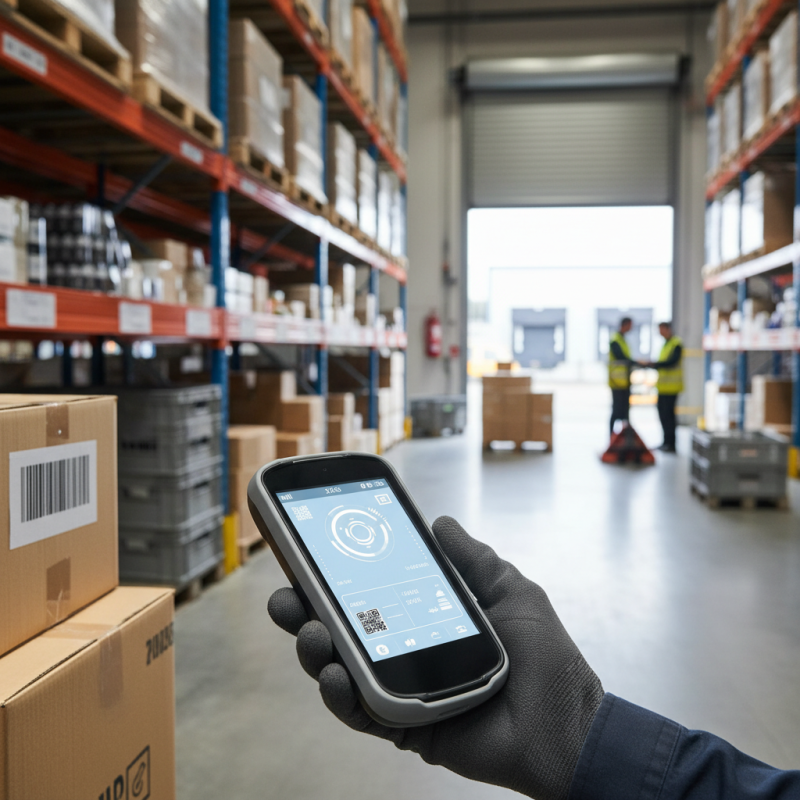
When selecting the best handheld PDA scanner for inventory management, focusing on key features is essential. Efficient inventory tracking relies on features that enhance data accuracy and streamline processes. A recent report from the International Data Corporation (IDC) underscores that companies using advanced inventory management tools can reduce stock discrepancies by up to 30%. This improvement is largely attributed to the seamless integration of scanning technology into inventory systems.
One critical feature is the device's scanning speed. The faster a PDA scanner can capture data, the more efficient the inventory process becomes. Accuracy also matters; low-quality scans can lead to costly errors. Look for scanners capable of high-resolution imaging and those with rugged designs. Durability ensures longevity, especially in demanding environments. Another aspect is connectivity. Scanners that offer multiple connectivity options can easily link with various inventory management systems, ensuring real-time data updates.
Tips: Consider the learning curve. If staff needs additional training, it can delay implementation. Additionally, test the device in your actual environment to identify potential issues. Assess battery life as well; frequent recharging disrupts workflow. Always evaluate your specific needs before making a decision. Remember, even the best tools require careful thought and analysis.
When choosing a handheld PDA scanner, efficiency is key for inventory management. A variety of models exist, each with unique features and specifications. Some scanners are lightweight, making them easy to handle throughout a busy shift. Others may offer advanced scanning capabilities, allowing for faster data capture. Battery life is another crucial factor; devices with longer-lasting batteries ensure uninterrupted operations.
Comparing top handheld PDA scanners reveals important trade-offs. Some models prioritize screen clarity for easy reading, while others boast impressive durability for tough work environments. Users often face the challenge of finding a balance between portability and performance. A scanner that works well in one setting may not perform the same in another context. This inconsistency requires thorough testing before committing to a purchase.
Many users overlook the significance of software compatibility. A scanner's effectiveness can diminish if it does not sync smoothly with existing inventory systems. It is wise to consider how a scanner integrates with warehouse management solutions. Reflecting on these aspects can lead to more informed purchasing decisions.
Handheld PDA scanners have transformed inventory management, enhancing efficiency significantly. According to a report by Logistics Management, companies using these devices reported a 30% reduction in inventory discrepancies. These devices help workers scan items in real-time, leading to fewer errors and faster processing times. Such improvements are critical in today’s fast-paced retail environment.
Implementing these scanners requires training. It’s important to ensure employees understand their features fully. A study by the International Journal of Inventory Management highlighted that 20% of users experienced challenges in adapting to new technology. Regular follow-up training sessions can address this and increase user confidence, improving overall efficiency.
Tips: Regular feedback about scanning processes can offer insights. This feedback loop can identify issues early. Also, consider periodically reviewing inventory processes. Small updates can lead to significant gains over time. Inconsistencies should be addressed quickly, as they can impact overall inventory accuracy. Addressing challenges can make inventory management more seamless.
Handheld PDA scanners have transformed inventory management in various sectors. By integrating these devices with inventory management software, businesses enhance data accuracy and streamline operations. The ability to scan items quickly and link them directly to a digital database reduces human error significantly. Real-time inventory updates are possible, leading to better stock control.
Choosing the right PDA scanner requires careful consideration. Not all devices offer the same level of integration capabilities. Some systems can be challenging to set up or require extensive training. Ensuring that your team can use the technology effectively is crucial. Investing in user-friendly devices can minimize this barrier.
Moreover, compatibility with existing software is vital. A seamless connection means your staff can focus on their tasks, not on troubleshooting. Some scanners may not perform well in specific environments, like dimly lit warehouses. Reflection on these challenges is necessary for achieving optimal efficiency. Balancing technology with user capability is a key element of successful inventory management.
Handheld PDA scanners have become vital tools in retail operations. They streamline inventory management and improve accuracy. The cost-benefit analysis reveals substantial advantages. Investing in these devices can reduce labor costs and errors, which leads to better efficiency. Over time, the initial investment pays off through the savings generated.
When considering these devices, it's essential to evaluate functionality. Some scanners offer advanced features like real-time data syncing. Others might lack this capability, leading to delays. Retailers should prioritize their specific needs and ensure that scanners meet them. That’s crucial for maximizing productivity.
Tip: Regularly train staff on scanner usage. This practice enhances efficiency and minimizes errors. When employees understand features well, they use devices more effectively.
Another point to consider is maintenance costs. Some scanners require frequent updates and repairs. In contrast, others may have longer lifespans. Look for models that offer reliable customer support and warranties. This factor can save money in the long run.
Tip: Monitor scanner performance closely. If a device shows inconsistent results, reassess its use. Sometimes, a simple update can resolve issues, but don’t overlook persistent problems.
„Thanks to the LUVIR technology, the solder resist process could be switched directly from the previously used mask exposure to direct exposure. As an outstanding digital solution on the market, this technology has been able to demonstrate fast process times and superior quality on our certified conventional ink in production. This allowed us to fully digitize the solder mask process at low cost – without process or ink adjustments. An excellent benefit to our production in Rot am See.“
Ralf Göhringer (Head of Production WE Rot am See)
I would definitely recommend the Limata machine and team for a future company purchase
Michael Greenaway
Compunetics Inc.
“The Limata ldi has been amazing!! Best thing we did was buy this machine”
Richard Brady
GM
Circuitlabs
“Since 2019, we have been running the Limata X1000 LDI system (including LUVIR for solder mask imaging) in daily production as an addition to our current process with film. The machine was capable of properly exposing Taiyo PSR-4000 BN (DI) solder mask types on normal to high-copper boards using a new and unique direct imaging process. The machine operating interface is very user friendly which allowed for a quick technical training curve. The pre-registration processing reduced several seconds of production time at every print. Limata support and service staff is incomparable. They supported our team every step of the way at basically any time of the day or night, with literally, an immediate response time, customizing the software interface to best fit our Operations and needs.
We have exposed more than 8,000 prints since end of October, on various solder mask colors and some resist film panels. Limata, has proven to be very capable and innovative. They are a strong contender in the industry.
We have very much enjoyed this project, and working with the team!
Thank you Limata for the continued support and being a part of our growth.”
Bill Sezate
Vice President, GM
Summit Interconnect
As a replacement to our current contact exposure process with film, the LIMATA X2000 system including LUVIR-Technology was capable of properly exposing non-LDI solder mask types using a direct imaging process. The machine offers cutting edge software with a very intuitive operating interface which allowed for quick technician training curve. The dual drawer system combined with pre-registration processing reduced several seconds of production time at every machine cycle. Limata support and service staff is world class. They added software patches to keep production running at shortest possible response times, customized the software interface to best fit our in-house Operations system, and even wrote a step-by-step machine processing manual. As a result of the project, we have exposed more than 16,000 times on various product types and solder mask brands/colors. Limata, in a very short timeframe as a company, has definitely shown they are truly innovative and will be challenging the industry of direct imaging for the top spot.
Kevin Beattie
Process Engineer
TTM Technologies
Forest Grove Division