Choosing a Smart Wifi Circuit Breaker is not just about controlling power from a phone. It is about matching protection, panel compatibility, and monitoring features to a real home. The National Fire Protection Association reported an annual average of 32,620 U.S. home structure fires involving electrical distribution or lighting equipment from 2015 to 2019. These fires were associated with 430 civilian deaths and $1.3 billion in direct property damage each year. The figures cover a broad equipment category, not smart breakers alone. They do, however, show why reliable electrical protection deserves careful attention.
Start with the basics: confirm the breaker’s voltage, current rating, pole configuration, and compatibility with the exact panel model. Check whether it supports useful alerts, such as overloads or unexpected trips, and whether its app remains practical when Wi-Fi is unavailable. Small details matter. A polished dashboard cannot compensate for an unsuitable breaker. Look for clear technical documentation and recognized safety certification, then have a qualified electrician verify installation requirements. The U.S. Consumer Product Safety Commission and product manuals can help with safety context, but neither replaces panel-specific advice. Compare data privacy terms, firmware support, and warranty coverage as well. These are easy to overlook while shopping. Even experienced buyers can focus too much on remote switching and too little on installation fit. A Smart Wifi Circuit Breaker can improve visibility into household circuits, but it is not a substitute for correct wiring, routine maintenance, or professional assessment. The right choice is the one that fits the system safely and provides information you will actually use.
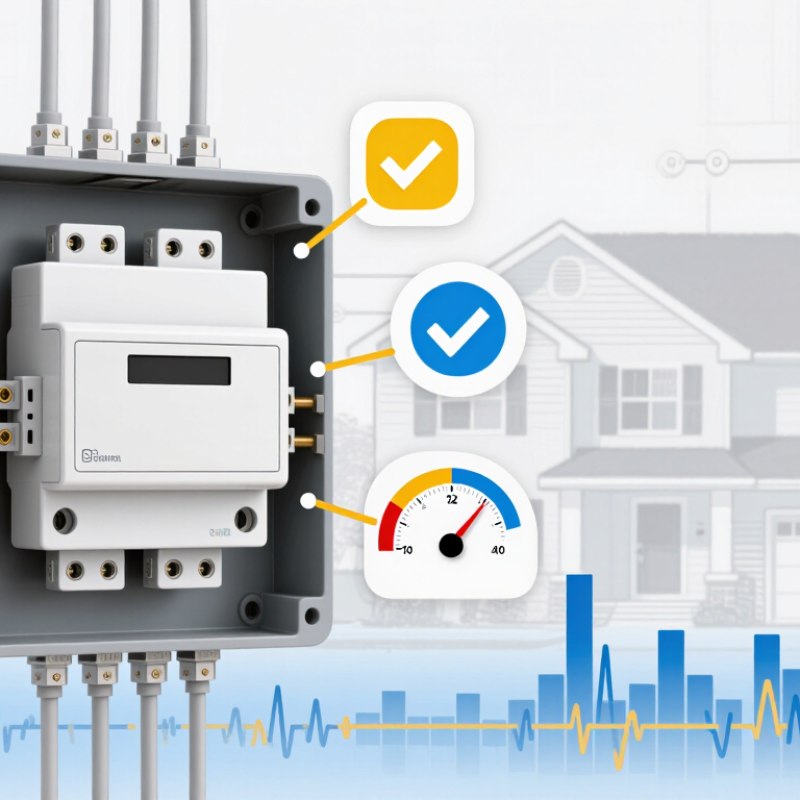
Choose a smart WiFi circuit breaker by matching it to the circuit’s real job, not just its app features. List the equipment it will protect, such as a water heater, kitchen outlets, or a workshop circuit. Note each device’s voltage, rated current, and whether it runs continuously or starts with a surge. The U.S. Energy Information Administration reported average household electricity use of 10,566 kWh in 2020, in its Residential Energy Consumption Survey. That annual total offers context, but it cannot determine the correct rating for an individual circuit. Small details matter.
Tip: Photograph your panel labels and record the devices on the circuit. Have a qualified electrician confirm panel compatibility, wiring condition, pole count, and breaker rating. Never choose a higher rating simply to stop nuisance trips; the wiring sets important limits.
Think about intended use, too. For energy tracking, check whether the breaker reports useful circuit-level data. For remote alerts, consider WiFi coverage near the panel and what happens during an internet outage. Notifications can help reveal unusual activity, but they do not replace inspection or maintenance. It is easy to focus on the phone interface and overlook setup details. That deserves a second look.
| Intended Use | Electrical Needs to Identify | Smart Features to Consider | Important Checks Before Buying |
|---|---|---|---|
| Lighting and general outlets | Circuit voltage, existing breaker rating, wire size, and connected load. Many North American household circuits are 120 V, but installations vary. | Remote on/off control, trip notifications, and basic usage history. | Confirm the breaker is specifically approved for the panel and circuit. Do not increase the breaker rating to address frequent trips without diagnosing the cause. |
| Dedicated appliance circuit | Appliance nameplate voltage and current, whether the circuit is dedicated, and whether it needs one or two poles. | Current or energy monitoring, overload alerts, and scheduling where compatible with the appliance. | Use the appliance instructions and local electrical requirements to determine circuit protection. A smart breaker does not make an unsuitable circuit safe. |
| Water heater, range, or other 240 V load | Supply voltage, load current, number of ungrounded conductors, required poles, and any common-trip requirement. | Monitoring suited to the load and notifications that remain useful during normal operation. | Verify voltage, pole configuration, interrupting rating, and panel listing. Never substitute a single-pole device where a multi-pole breaker is required. |
| Motor, pump, or workshop equipment | Motor voltage, full-load current, starting characteristics, and any equipment-specific overcurrent protection requirements. | Trip alerts and monitoring that can help identify unusual changes in operating current. | Motor circuits may need protection selected according to the motor and applicable code. Check equipment documentation; do not size a breaker from running current alone. |
| Remote monitoring of a rental or vacation property | Which circuits need monitoring, whether remote switching is appropriate, and the property’s supply and panel configuration. | Power-loss or trip notifications, account access controls, and reliable status reporting. | Check internet availability, app and network requirements, notification behavior during an outage, and local rules for remote control. |
| Safety-sensitive or code-required circuit | Whether the circuit requires GFCI, AFCI, dual-function protection, or another specific protective device. | Smart monitoring only if the device also provides the required protection and is approved for the panel and application. | Confirm the exact protection type and certification required by local code. Connectivity features do not replace electrical safety functions. |
| Any smart-breaker installation | Panel make and model, bus and breaker compatibility, system voltage, available space, and existing circuit details. | Supported WiFi frequency and security, app compatibility, local versus cloud control, and data privacy settings. | Choose a listed device specifically approved for the panel. Panel work can expose hazardous voltages; have installation and compatibility checked by a qualified electrician. |
Note: Electrical ratings, protection requirements, and WiFi availability vary by location and installation. Use the panel and equipment documentation and applicable local electrical codes; this table is a planning guide, not a substitute for professional assessment.
Before comparing app features, check the panel label and wiring diagram. Confirm the breaker is listed for that exact panel type; matching dimensions alone do not prove compatibility. Then verify voltage, pole count, amperage, interrupting rating, and wire size. A panel can look roomy while its bus is crowded. Appearance is not a specification. It is easy to focus on Wi-Fi first, but connectivity cannot make an incompatible breaker safe.
The National Fire Protection Association’s Home Electrical Fires report estimated about 24,000 U.S. home fires annually involving electrical failure or malfunction during 2015–2019. That figure is not specific to smart breakers, but it shows why protective devices should not be selected by guesswork. Check whether the circuit requires arc-fault or ground-fault protection, and confirm the smart breaker supports the required function. Review the panel’s load schedule, too; a spare slot does not necessarily mean spare capacity.
Tips: Photograph the panel label before shopping. Match every listed rating, then have a qualified electrician verify fit, conductor size, and available capacity. If the label is missing or unreadable, pause. Guessing is not worth it. Keep the installation instructions for later checks, since Wi-Fi setup and electrical suitability are separate questions.
A smart Wi-Fi circuit breaker is only useful when its connection stays dependable. Check whether it uses 2.4 GHz Wi-Fi, how it behaves after a router outage, and whether alerts arrive when your phone is away from home. The U.S. Energy Information Administration reported about 119 million advanced metering infrastructure meters in service in 2022, reaching roughly 72% of U.S. electricity customers. That scale shows how common connected energy data has become, but a utility meter is not the same as a household breaker.
Compare controls carefully. A useful app should show circuit status, let authorized users switch a circuit remotely, and explain what happens after a lost connection. Cisco’s Annual Internet Report forecast 29.3 billion networked devices worldwide by 2023; it was a forecast, not a measured final count, but it highlights why device security and clear access settings matter. Look for two-factor sign-in, event history, and alerts that identify the affected circuit. Monitoring should show more than a vague “high usage” warning: timestamps and readable power readings help explain what happened. I might be tempted to favor the most detailed dashboard, but confusing graphs can hide important events. Test it offline. Check whether the breaker keeps operating safely without Wi-Fi, and confirm its electrical ratings match the panel and circuit.
A smart WiFi circuit breaker must protect the circuit before it can offer remote control. Check the certification mark and confirm it applies to a circuit breaker, not merely an electronic accessory. Look for a third-party listing, the exact model, voltage, current rating, and interrupting rating. A WiFi symbol proves connectivity, not electrical safety. Small label, big difference.
The NFPA report Electrical Fires, covering 2015–2019, estimated an annual average of 32,620 home structure fires involving electrical distribution and lighting equipment. The report also estimated $1.3 billion in direct property damage each year. These figures do not show that a smart breaker prevents every fire. They do highlight why certified protection and correct installation matter. Check that the breaker is approved for your specific panel and matches its pole count and intended load.
Installation requirements deserve equal attention. Check the wiring diagram, required neutral connection, panel space, and specified terminal torque before purchase. Follow the product instructions and applicable local electrical code; ask a qualified electrician to assess uncertain compatibility. A crowded panel can complicate the job. I would pause if certification details or installation instructions are unclear. It is easy to skim past a mismatch, so a second review is sensible.
Choose a smart WiFi circuit breaker by matching its price and features to your actual panel and smart-home setup. Check panel compatibility, circuit rating, required wiring, app support, and whether it works with your home network. A lower-priced model may be enough if you only want remote status and alerts. If you need energy readings or voice-assistant links, compare those features before paying more. I would not assume the most feature-rich option is best; that is an easy mistake to make.
Budget decisions should reflect which circuits matter most. The U.S. Energy Information Administration’s 2020 Residential Energy Consumption Survey estimated that space heating accounted for about 42% of residential site energy use. That figure is a prompt to assess your own home, not a guarantee of savings. If electric heating is a major load, circuit-level monitoring may be more useful than monitoring rarely used outlets. Consider installation costs, too, and ask a qualified electrician to confirm panel fit and safe installation.
Tips: Set a budget that includes installation, then check device and app compatibility before buying. Look for clear energy readings, dependable WiFi connection, and a stated plan for software updates. Shortlist two models. Compare the details.
Compare typical planning budgets with the level of circuit control you need.
These illustrative U.S. retail planning ranges vary by seller, region, and installation needs. A single-circuit breaker suits basic remote control; energy-monitoring models add circuit-level usage data; multi-circuit modules can cover more circuits. Before buying, verify panel compatibility, electrical ratings, local code requirements, and smart-home platform support with a qualified electrician.
„Thanks to the LUVIR technology, the solder resist process could be switched directly from the previously used mask exposure to direct exposure. As an outstanding digital solution on the market, this technology has been able to demonstrate fast process times and superior quality on our certified conventional ink in production. This allowed us to fully digitize the solder mask process at low cost – without process or ink adjustments. An excellent benefit to our production in Rot am See.“
Ralf Göhringer (Head of Production WE Rot am See)
I would definitely recommend the Limata machine and team for a future company purchase
Michael Greenaway
Compunetics Inc.
“The Limata ldi has been amazing!! Best thing we did was buy this machine”
Richard Brady
GM
Circuitlabs
“Since 2019, we have been running the Limata X1000 LDI system (including LUVIR for solder mask imaging) in daily production as an addition to our current process with film. The machine was capable of properly exposing Taiyo PSR-4000 BN (DI) solder mask types on normal to high-copper boards using a new and unique direct imaging process. The machine operating interface is very user friendly which allowed for a quick technical training curve. The pre-registration processing reduced several seconds of production time at every print. Limata support and service staff is incomparable. They supported our team every step of the way at basically any time of the day or night, with literally, an immediate response time, customizing the software interface to best fit our Operations and needs.
We have exposed more than 8,000 prints since end of October, on various solder mask colors and some resist film panels. Limata, has proven to be very capable and innovative. They are a strong contender in the industry.
We have very much enjoyed this project, and working with the team!
Thank you Limata for the continued support and being a part of our growth.”
Bill Sezate
Vice President, GM
Summit Interconnect
As a replacement to our current contact exposure process with film, the LIMATA X2000 system including LUVIR-Technology was capable of properly exposing non-LDI solder mask types using a direct imaging process. The machine offers cutting edge software with a very intuitive operating interface which allowed for quick technician training curve. The dual drawer system combined with pre-registration processing reduced several seconds of production time at every machine cycle. Limata support and service staff is world class. They added software patches to keep production running at shortest possible response times, customized the software interface to best fit our in-house Operations system, and even wrote a step-by-step machine processing manual. As a result of the project, we have exposed more than 16,000 times on various product types and solder mask brands/colors. Limata, in a very short timeframe as a company, has definitely shown they are truly innovative and will be challenging the industry of direct imaging for the top spot.
Kevin Beattie
Process Engineer
TTM Technologies
Forest Grove Division