Choosing an Embedded Pc is less about picking the fastest processor and more about matching a computer to its working environment. A compact unit beside a production line may face vibration, dust, temperature swings, and limited space. A system inside a kiosk may need quiet cooling, reliable touch-screen support, and several connection options. The right choice depends on the actual job.
Start with the application’s workload. Check whether it needs continuous data logging, machine vision, network communication, or only basic control. Then compare processor performance, memory, storage type, and operating-system support against those needs. More power can mean extra heat, cost, and energy use. Bigger is not always better.
Ports deserve a close look. A small device may need serial connections, Ethernet, USB, or display outputs that standard office computers do not provide. Check the number and type before ordering. Details matter.
Also review operating-temperature ranges, power input, enclosure dimensions, and mounting options in the manufacturer’s specifications. If the computer will run around the clock, ask about product availability and support over its expected service life. Datasheets are useful, but they cannot fully predict performance in your installation. Test a sample under realistic conditions when possible.
No checklist is perfect. Even experienced teams can underestimate cable clearance or forget that future sensors may need another port. These seven tips offer a practical way to compare options, ask better supplier questions, and avoid choosing hardware based on a single impressive specification.
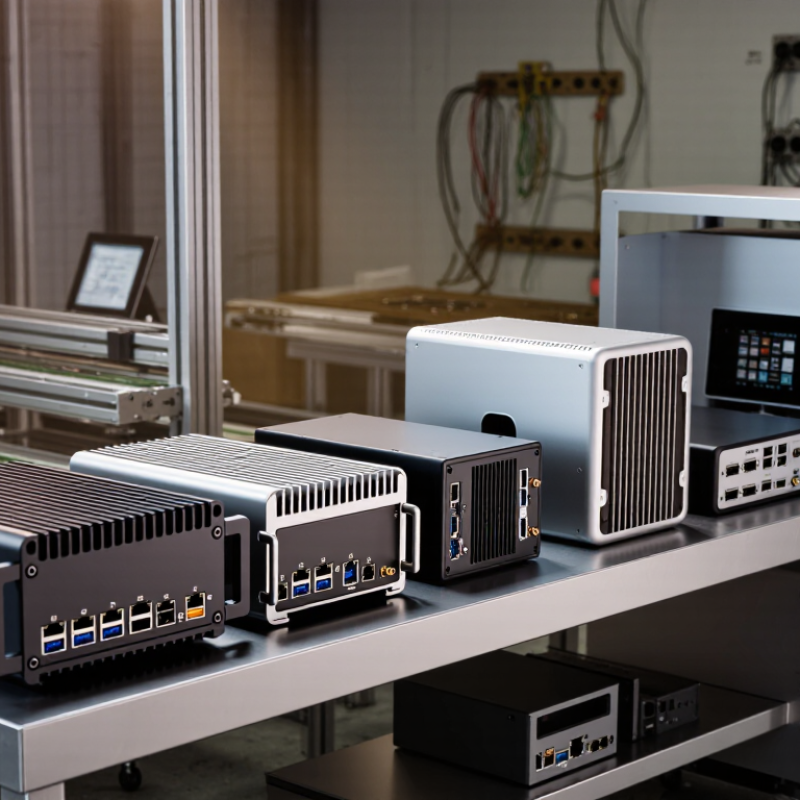
Define the job before comparing processor speed. Will the embedded PC control a fast machine, collect sensor readings, or run a local dashboard? List required interfaces, response times, storage capacity, and expected service life. A camera system may need sustained data throughput; a controller may care more about predictable latency. Write down peak workloads, not just typical ones. Small detail, big difference.
Then map the installation site. A unit mounted beside a vibrating pump faces different demands from one inside a clean office cabinet. Record ambient temperature, humidity, dust, shock, available power, and ventilation. Check the computer’s rated operating range, and allow margin for heat trapped inside the enclosure. Dust matters. Gartner’s 2018 report forecast that 75% of enterprise-generated data would be created and processed outside traditional data centers or the cloud by 2025. That forecast highlights why location matters: remote sites may need local processing and reliable operation during network interruptions. Test the intended configuration under realistic load and temperature conditions. A specification sheet alone can mislead—and it is easy to overlook cable access or future maintenance. Do not assume the site will stay as clean or cool as it looks during installation.
7 Tips for Choosing the Best Embedded PC
Match Processing Power, Memory, and Storage to the Workload
Start with what the system must do at its busiest moment, not its average workload. A controller reading a few sensors has different needs from a vision system analyzing several video streams. Gartner forecast in 2018 that 75% of enterprise-generated data would be created and processed outside traditional centralized data centers by 2025. That shift makes local processing capacity important, but it does not mean every embedded PC needs a high-end processor.
List the applications, data rates, and tasks that must run at the same time. Then test a realistic peak load. Watch processor utilization and response times, not just whether the software opens. Memory needs depend on operating systems, applications, and buffered data. Leave headroom for updates and workload growth. Too much memory adds cost; too little can cause delays or instability. It is easy to underestimate background services.
Storage should fit both capacity and write activity. A machine saving sensor logs continuously needs different endurance and space from one loading its software once at startup. Estimate daily data volume, retention time, and write frequency before selecting a drive. Include room for logs and temporary files. A neat calculation can still miss real-world spikes, so measure the actual workload when possible.
An embedded PC may run for years inside a cabinet that is hot, dusty, or difficult to reach. Check the rated operating temperature, but do not treat it as a guarantee of performance in every installation. The surrounding enclosure, nearby heat sources, and airflow all matter. Dust gets everywhere.
Thermal design deserves a real-world check. Run the intended workload in the actual enclosure and watch temperatures over time, especially during peak processing. A fanless unit avoids moving parts, but its heatsink still needs room to release heat. Fans can help in cramped spaces, yet filters and bearings need maintenance. There is no perfect option. It is easy to overvalue a published temperature range and overlook the cabinet’s interior conditions.
Durability also depends on mounting points, connectors, and resistance to vibration or shock. Look for clear test specifications, not just claims of “rugged” construction. If moisture or dust is a concern, check the protection rating for the complete installed system, including cable openings and covers. A bare computer’s rating may not apply after installation. Verify the expected exposure with the supplier, and inspect seals and connectors during maintenance. I would also leave space for service access; that detail is often missed when layouts look tidy on a screen.
Assess durability, thermal design, and environmental protection.
The chart shows the characteristic numeral ranges in the IEC 60529 IP code: the first numeral covers protection against access to hazardous parts and solid objects (0–6); the second covers protection against water ingress (0–9). These are rating scales, not measurements of overall durability. Choose an IP rating suited to the installation environment, and check the manufacturer’s specifications for operating temperature, vibration, and other conditions.
A suitable embedded PC should match the equipment it connects to, not just the application running on it. List each device and its interface: Ethernet for controllers, serial ports for older instruments, and USB for cameras or service tools. Check port counts, connector types, data rates, and whether network connections need redundancy. Small details matter. A spare port can save a costly redesign later.
Expansion choices shape how easily the system can adapt. Confirm whether the unit supports the needed M.2 or PCIe modules, and whether those slots leave room for storage or wireless cards. IoT Analytics’ State of IoT 2024 report estimated 16.6 billion connected IoT devices worldwide in 2023. Its outlook projected 18.8 billion for 2024. That growth makes upgrade paths worth checking, though adding a slot does not guarantee every module will work.
Compatibility needs testing, not assumptions. Verify operating-system support, drivers, power limits, and the temperature range against the actual installation site. A module may fit physically but conflict with another device or exceed the available power budget. Test it early. A simple bench test with the intended cables, peripherals, and software can reveal problems before installation. I would still leave room for one unexpected interface; specifications rarely capture every field change.
An embedded PC may look cheap on a quote, then become costly as its processor, storage, or operating system ages. Ask for a written availability window, repair turnaround, firmware-update schedule, and replacement path. Get lifecycle dates in writing. A promise of “long-term support” is vague unless it names years and parts.
Security support deserves the same scrutiny. The 2024 Data Breach Investigations Report found a human element in 68% of breaches. That is not an embedded-PC failure rate, but it highlights the value of secure configuration and maintainable updates. Check signed firmware, vulnerability notices, and a clear patch end date. Also ask who tests updates against your exact I/O cards and operating system. Small detail, big risk.
Compare total cost over the planned service life, not just purchase price: include integration labor, power, spares, downtime, and migration. The 2024 Global Data Center Survey reported that 54% of respondents’ most recent significant outages cost over $100,000. Data-center outages are not a direct proxy for embedded deployments, yet they show how quickly reliability gaps can dwarf hardware savings. Even a careful checklist can miss a site-specific constraint; trial one unit under real heat, vibration, and workload before committing.
| Tip | What to Compare | Practical Check | Why It Matters |
|---|---|---|---|
| 1. Confirm lifecycle support | Product availability, planned end-of-sale notice, repair options, and replacement-part availability. | Request written lifecycle terms and ask how much advance notice is provided before a product change or discontinuation. | A longer, clearly documented supply window can reduce redesign work and unexpected sourcing gaps. |
| 2. Check security features | Secure Boot, TPM 2.0 where supported, firmware updates, vulnerability reporting, and update signing. | Verify that security features are enabled and supported in the exact hardware and firmware configuration you plan to deploy. | Security depends on implementation and ongoing maintenance, not just a feature listed on a specification sheet. |
| 3. Match the operating environment | Operating-temperature range, cooling method, vibration resistance, dust exposure, and enclosure protection. | Compare the published ratings with measured conditions at the installation point; allow margin for temperature and airflow variation. | Environmental ratings help determine whether a system can operate reliably in the intended location. |
| 4. Validate performance and I/O | Processor workload, memory capacity, storage type, network ports, serial interfaces, and expansion options. | Test the actual application with expected peripherals and peak workloads; count required ports before selecting a configuration. | Application testing helps avoid both underpowered deployments and unnecessary hardware costs. |
| 5. Review reliability and serviceability | Published operating limits, storage endurance, cooling design, diagnostic tools, and access to replaceable components. | Ask for endurance specifications where applicable, and confirm how the unit can be diagnosed and serviced at the deployment site. | Ease of diagnosis and repair can reduce downtime and field-service effort over the system’s useful life. |
| 6. Calculate total cost of ownership | Purchase price, integration, energy use, maintenance, downtime, and replacement costs. | Example: a 15 W power difference over 5 years at $0.12/kWh is about $79 per device, assuming continuous operation. | The purchase price is only one part of cost; estimate operating and support expenses across the expected service period. |
| 7. Confirm compatibility and support | Operating-system support, drivers, documentation, warranty terms, technical-support access, and response process. | Test the intended OS image and peripherals, and confirm support coverage and escalation procedures before deployment. | Compatibility and accessible support can simplify rollout, troubleshooting, and long-term maintenance. |
Note: Requirements vary by application. Treat the energy-cost figure as an illustrative calculation; actual costs depend on measured power draw, operating hours, and local electricity rates.
„Thanks to the LUVIR technology, the solder resist process could be switched directly from the previously used mask exposure to direct exposure. As an outstanding digital solution on the market, this technology has been able to demonstrate fast process times and superior quality on our certified conventional ink in production. This allowed us to fully digitize the solder mask process at low cost – without process or ink adjustments. An excellent benefit to our production in Rot am See.“
Ralf Göhringer (Head of Production WE Rot am See)
I would definitely recommend the Limata machine and team for a future company purchase
Michael Greenaway
Compunetics Inc.
“The Limata ldi has been amazing!! Best thing we did was buy this machine”
Richard Brady
GM
Circuitlabs
“Since 2019, we have been running the Limata X1000 LDI system (including LUVIR for solder mask imaging) in daily production as an addition to our current process with film. The machine was capable of properly exposing Taiyo PSR-4000 BN (DI) solder mask types on normal to high-copper boards using a new and unique direct imaging process. The machine operating interface is very user friendly which allowed for a quick technical training curve. The pre-registration processing reduced several seconds of production time at every print. Limata support and service staff is incomparable. They supported our team every step of the way at basically any time of the day or night, with literally, an immediate response time, customizing the software interface to best fit our Operations and needs.
We have exposed more than 8,000 prints since end of October, on various solder mask colors and some resist film panels. Limata, has proven to be very capable and innovative. They are a strong contender in the industry.
We have very much enjoyed this project, and working with the team!
Thank you Limata for the continued support and being a part of our growth.”
Bill Sezate
Vice President, GM
Summit Interconnect
As a replacement to our current contact exposure process with film, the LIMATA X2000 system including LUVIR-Technology was capable of properly exposing non-LDI solder mask types using a direct imaging process. The machine offers cutting edge software with a very intuitive operating interface which allowed for quick technician training curve. The dual drawer system combined with pre-registration processing reduced several seconds of production time at every machine cycle. Limata support and service staff is world class. They added software patches to keep production running at shortest possible response times, customized the software interface to best fit our in-house Operations system, and even wrote a step-by-step machine processing manual. As a result of the project, we have exposed more than 16,000 times on various product types and solder mask brands/colors. Limata, in a very short timeframe as a company, has definitely shown they are truly innovative and will be challenging the industry of direct imaging for the top spot.
Kevin Beattie
Process Engineer
TTM Technologies
Forest Grove Division