Choosing the right 4x2 Hdmi Matrix Switch can seem simple until four source devices compete for two displays. A laptop, game console, streaming box, and Blu-ray player may all need different video settings. The switch must route each source reliably without forcing constant cable changes. That is the real test.
In this guide, we examine the practical details that influence a buying decision. HDMI bandwidth matters, especially for 4K at 60Hz, HDR content, and higher color depth. HDCP compatibility also deserves attention. A device may support 4K resolution but fail with a protected movie or streaming service. Check the specifications carefully.
We will also consider EDID management, audio extraction, remote control quality, and switching speed. These features affect daily use more than attractive packaging. In a small meeting room, a delayed switch can interrupt a presentation. At home, unstable handshakes may produce a black screen after every device change. Annoying, but common.
Look beyond resolution claims.
A reliable 4x2 Hdmi Matrix Switch should match your complete system, not just one display. Confirm the input and output versions, cable lengths, audio formats, and power requirements. User reviews can reveal heat problems, weak remotes, or confusing controls that technical charts overlook. Still, reviews are not perfect evidence.
We will compare essential features, useful extras, and avoidable compromises. The goal is not to find the most expensive model. It is to select a stable, compatible switch that works quietly in real conditions. That decision requires patience, practical testing, and a willingness to question impressive specifications.
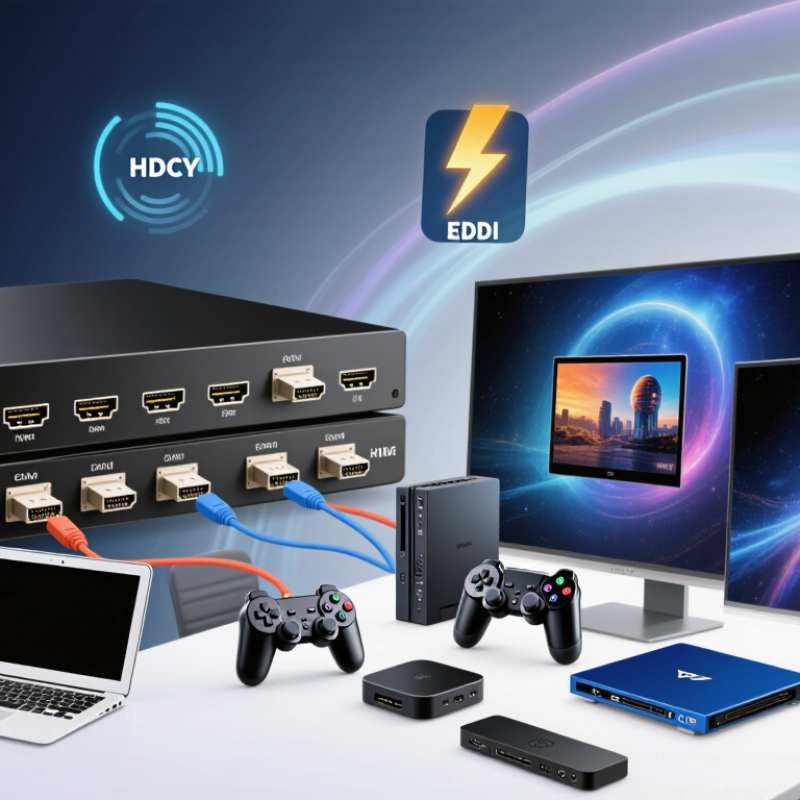
A 4x2 HDMI matrix switch accepts four HDMI sources and sends them to two displays.
Each output can show the same source or a different one. For example, a game console can appear on a monitor while a media player appears on a television.
The switch does not create new video. It routes existing signals.
Inside, the matrix reads the source and display information through HDMI handshaking. EDID helps each source select a suitable resolution and refresh rate. HDCP manages protected content between compatible devices.
If the settings disagree, the screen may flicker, turn black, or lose audio. Signal quality also depends on cable length, resolution, and connector condition. Higher resolutions need greater bandwidth.
Tips:
Check the switch’s supported resolution, refresh rate, HDR format, and audio standards. Confirm that both displays can accept the chosen signal. Short, certified cables usually reduce troubleshooting.
In real installations, automatic EDID mode is convenient, but it is not always the best choice. Manual settings can work better when two displays have different capabilities.
The first setup is rarely perfect. Test each input separately, then test both outputs together.
Also check whether remote control, front-panel buttons, or control-system integration suits your room. A matrix switch should make routing simple, not become another device to diagnose.
Choosing a 4x2 HDMI Matrix Switch starts with identifying every source and display in your setup. List devices such as a game console, media player, laptop, and streaming box. Then record each device’s output resolution, refresh rate, HDR support, and audio format. A source may advertise 4K, but its actual output can change with settings or cable quality.
Check both displays carefully. One screen might support 4K at 60Hz, while an older projector accepts only 1080p. The matrix must handle the shared format without creating a black screen. Confirm HDCP compatibility, HDMI version, and audio return requirements. Also measure cable distances. Long runs through walls may need active or certified cables. Small details matter.
In practice, EDID management is often overlooked. This feature helps sources recognize the capabilities of connected displays. However, automatic EDID settings are not always perfect. I once tested a setup where the larger television worked, but the projector lost audio after switching inputs. Manual EDID selection fixed it, though the result required more testing. Leave room for real-world limits. Your sources, displays, cables, and audio equipment should be tested together before installation. A written signal map can expose missing ports or mismatched specifications before they become expensive problems.
When choosing a 4x2 HDMI matrix switch, check the HDMI standard before counting ports. HDMI 2.0 usually supports 4K at 60Hz, while HDMI 2.1 can support higher bandwidth and advanced gaming features. However, a product may advertise HDMI 2.1 without delivering every feature. Read the bandwidth rating carefully.
Do not guess. Check HDCP compatibility, especially when connecting streaming devices, game consoles, and projectors. HDCP 2.2 or newer is important for many 4K sources. Also confirm support for HDR formats, 4:4:4 chroma, 8-bit or 10-bit color, and the exact refresh rates you need. A switch that handles 4K at 30Hz may feel poor during fast games.
Resolution claims need practical context. A 4x2 matrix may list 8K support, but both connected displays must support the required resolution and refresh rate. Check whether the switch offers downscaling, EDID management, and independent output settings. These features help when one display is 4K and another is 1080p. I once assumed automatic switching would solve this mismatch. It did not. Use certified, suitable HDMI cables, and test each input with both displays connected. Manufacturers sometimes describe maximum performance under ideal conditions, so verify the full specification sheet rather than relying on a short product title.
HDMI standards, bandwidth, and supported resolutions to check
Compare the HDMI version and bandwidth before selecting a 4x2 matrix switch. HDMI 1.4 supports up to 10.2 Gbps and commonly handles 4K at 30 Hz. HDMI 2.0 increases bandwidth to 18 Gbps for 4K at 60 Hz. HDMI 2.1 provides up to 48 Gbps and supports higher resolutions such as 8K at 60 Hz, depending on the source, display, cable, and matrix design.
A 4x2 HDMI matrix should match your real switching habits, not just its port count. HDMI Licensing Administrator states that HDMI 2.0 supports up to 18 Gbps, while HDMI 2.1 can reach 48 Gbps. That difference affects 4K resolution, high refresh rates, HDR, and gaming signals. Check every source and display carefully. A switch may accept 4K input but reduce output quality when two screens run together.
Audio control deserves equal attention. Look for support for stereo PCM, Dolby formats, and selectable audio extraction. AVIXA’s 2024 Industry Outlook and Trends Analysis valued the global professional AV market at approximately 329 billion dollars. That figure reflects growing demand for reliable signal management in offices, classrooms, and entertainment spaces. Still, product descriptions can hide limitations. Some switches pass audio only through HDMI, while others provide a separate optical or analog output.
Control features often decide daily usability. Remote control is convenient, but front-panel buttons remain valuable when batteries disappear. RS-232, infrared extension, and network control suit installed systems. I once treated EDID as a minor setting and spent an afternoon troubleshooting a blank display. That was a poor assumption. Choose a matrix with automatic and manual EDID modes, clear status indicators, and stable switching memory. Test the exact cables, sources, and displays before installation. Datasheets are useful. Real-world testing is better.
Choosing a 4x2 HDMI matrix switch starts with compatibility, not input count. CTA’s 2024 ownership study reports that more than six in ten U.S. internet households own a 4K UHD television. Therefore, check every source and display separately. Record resolution, refresh rate, HDR format, audio return support, and HDCP version. A 4K source may connect successfully, yet fail at 4K/120Hz or HDR.
Bandwidth needs careful attention. The HDMI 2.1 specification supports up to 48Gbps using Fixed Rate Link signaling. However, a product labeled “8K” may not deliver that performance on every output. Confirm the matrix’s tested bandwidth, not only its maximum resolution. Check whether both outputs can show different sources. Some 4x2 units only duplicate one selected input. That detail is easy to miss.
EDID management is equally important. The switch should offer automatic, copy, or fixed EDID modes. Match the source to the weakest connected display, especially when one screen supports 4K and another supports 1080p. Use certified high-speed cables and keep them short where possible. I once blamed a matrix for a black screen; the real problem was an aging cable. AVIXA’s 2024 industry outlook also emphasizes interoperability and system testing in professional AV installations. Test HDCP, audio, HDR, and switching before mounting the unit. My earlier assumption was too optimistic: “plug and play” is not always practical.
„Thanks to the LUVIR technology, the solder resist process could be switched directly from the previously used mask exposure to direct exposure. As an outstanding digital solution on the market, this technology has been able to demonstrate fast process times and superior quality on our certified conventional ink in production. This allowed us to fully digitize the solder mask process at low cost – without process or ink adjustments. An excellent benefit to our production in Rot am See.“
Ralf Göhringer (Head of Production WE Rot am See)
I would definitely recommend the Limata machine and team for a future company purchase
Michael Greenaway
Compunetics Inc.
“The Limata ldi has been amazing!! Best thing we did was buy this machine”
Richard Brady
GM
Circuitlabs
“Since 2019, we have been running the Limata X1000 LDI system (including LUVIR for solder mask imaging) in daily production as an addition to our current process with film. The machine was capable of properly exposing Taiyo PSR-4000 BN (DI) solder mask types on normal to high-copper boards using a new and unique direct imaging process. The machine operating interface is very user friendly which allowed for a quick technical training curve. The pre-registration processing reduced several seconds of production time at every print. Limata support and service staff is incomparable. They supported our team every step of the way at basically any time of the day or night, with literally, an immediate response time, customizing the software interface to best fit our Operations and needs.
We have exposed more than 8,000 prints since end of October, on various solder mask colors and some resist film panels. Limata, has proven to be very capable and innovative. They are a strong contender in the industry.
We have very much enjoyed this project, and working with the team!
Thank you Limata for the continued support and being a part of our growth.”
Bill Sezate
Vice President, GM
Summit Interconnect
As a replacement to our current contact exposure process with film, the LIMATA X2000 system including LUVIR-Technology was capable of properly exposing non-LDI solder mask types using a direct imaging process. The machine offers cutting edge software with a very intuitive operating interface which allowed for quick technician training curve. The dual drawer system combined with pre-registration processing reduced several seconds of production time at every machine cycle. Limata support and service staff is world class. They added software patches to keep production running at shortest possible response times, customized the software interface to best fit our in-house Operations system, and even wrote a step-by-step machine processing manual. As a result of the project, we have exposed more than 16,000 times on various product types and solder mask brands/colors. Limata, in a very short timeframe as a company, has definitely shown they are truly innovative and will be challenging the industry of direct imaging for the top spot.
Kevin Beattie
Process Engineer
TTM Technologies
Forest Grove Division