Buying laser technology can feel like choosing a tool and making a long-term operating commitment. A machine that looks impressive in a showroom may not fit your actual workflow. Start with the work. Consider the materials, part sizes, production volume, and finish your customers expect. A small workshop making engraved signs has different needs from a busy fabrication floor. That difference matters. The right choice depends on measurable requirements, not a feature list alone. Before comparing models, record typical jobs, peak workloads, available space, and operator experience. These details make supplier discussions more useful and reveal assumptions early. Still, plans change, and no checklist can predict every production surprise. You may discover that a frequently used feature adds little value. That is worth admitting.
This guide shares seven practical tips for evaluating laser technology for a business. It covers application fit, power and speed, accuracy, safety features, service, training, and total ownership costs. Ask suppliers for documented specifications, sample results using your materials, and clear maintenance requirements. Compare warranty terms and local support response times, not just purchase prices. A demonstration is helpful, but it cannot replace careful testing on representative jobs. Small details count. A lens that needs frequent cleaning or software that slows setup can affect daily output. Use the tips to build a shortlist, ask better questions, and judge trade-offs realistically. The best purchase is rarely the most powerful machine. It is the one your team can operate safely, maintain, and use consistently.
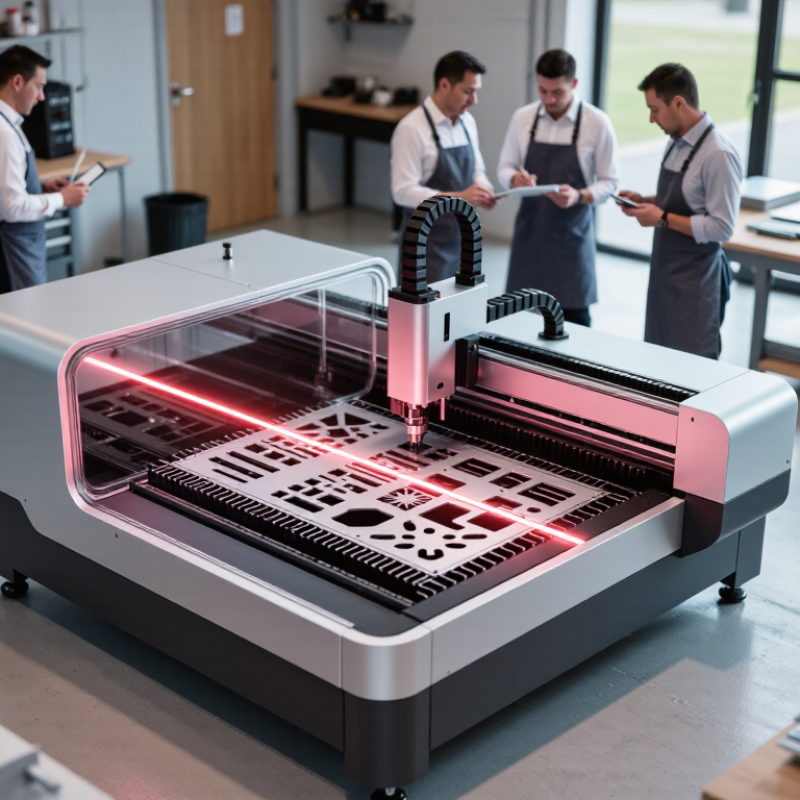
Before comparing laser systems, define the job the equipment must perform. List the materials, product dimensions, required finish, and expected daily volume. A laser used to mark serial numbers has different needs from one used to cut sheet material or engrave detailed designs. Be specific. “Faster production” is not a useful target until you know your current cycle time and acceptable quality.
Tip: Write down three representative jobs, including the trickiest one. Note material type, thickness, batch size, and any fine details. Ask operators where work slows down or defects appear. Their observations may be more useful than a polished production estimate. And be honest about occasional jobs.
Match each application to the process and operating conditions it requires. Consider workspace, ventilation, operator training, maintenance access, and how parts will be loaded and checked. A system that handles one sample beautifully may struggle with a full shift of varied work. Request a demonstration using your actual material and a typical file, then inspect the result under normal lighting. Record cycle time and finish quality. If the test feels incomplete, it probably is; repeat it with a less convenient job before deciding.
Choosing a laser begins with the material and the job, not the largest power rating. Fiber lasers often suit metal marking and cutting; CO2 systems can handle many nonmetals, while UV lasers may reduce heat effects on sensitive surfaces. These are starting points, not guarantees. Power is not everything. Beam quality, pulse duration, spot size, and cooling needs can change the result. Grand View Research’s 2024 laser technology market report estimated the global market at USD 20.3 billion in 2023, reflecting a crowded and expanding field.
Tip: Compare like with like. Ask suppliers to process your actual material and show cut edges, engraving contrast, cycle time, and reject rates. A neat specification sheet can still mislead. It is easy to overvalue wattage and overlook how often the machine must run, or how much setup each material needs.
Tip: Write down your performance limits before comparing quotes. Include required throughput, feature size, acceptable heat marks, duty cycle, and room for future materials. Check whether the quoted speed applies to your design, not a simple test pattern. Test the actual part. Small differences matter: a slower pulse may protect a thin coating, while a larger work area may reduce repositioning. Record results under repeatable settings, then compare total operating needs, including extraction, maintenance access, and operator training.
Wavelength affects how different materials absorb laser energy, so it can help guide technology selection. Values shown are representative: diode lasers commonly operate around 800–980 nm, fiber lasers around 1,064–1,080 nm, Nd:YAG lasers at approximately 1,064 nm, and CO₂ lasers at approximately 10,600 nm. Actual cutting, marking, or welding performance also depends on power, optics, material, and process settings.
7 Tips for Buying Laser Technology for Your Business
Evaluate Safety Features, Training Needs, and Regulatory Compliance
Buying laser technology means evaluating more than speed and output. Start with the work area: where will the equipment sit, who can enter, and what nearby surfaces could reflect the beam? Check guarding, interlocks, warning indicators, and emergency-stop access. Ask for written safety guidance that matches the exact model and intended task. I would not rely on a sales demonstration alone.
Tip: Ask a qualified safety professional to review the installation plan before purchase. Confirm what protective equipment is appropriate, how access will be controlled, and how routine checks will be recorded. Small gaps matter.
Training is part of the operating cost. Operators should learn setup, safe shutdown, maintenance boundaries, and what to do if a safeguard fails. Request a clear training plan, then verify that staff can follow it in practice. A rushed handover is a weak spot. Keep attendance and refresher records.
Regulatory requirements vary by location, equipment class, and application. Before ordering, check with the relevant workplace-safety and regulatory authorities, and retain compliance documents supplied with the equipment. Ask who will handle inspections or updates as rules change. It is easy to miss a local requirement; build time into procurement to verify it.
Tip 1: Compare the full cost of ownership, not just the purchase price. Include installation, operator training, electricity, cooling, extraction, consumables, maintenance, and downtime. The U.S. Department of Energy’s Operations & Maintenance Best Practices guide reports that effective maintenance can reduce energy use by 5–20% in some facilities. That is a useful benchmark, not a guaranteed laser-specific saving. Ask suppliers for realistic service intervals and written estimates for common replacement parts.
Tip 2: Check support before you need it. Ask who handles technical calls, how quickly they respond, and whether technicians can visit your site. Confirm which parts are stocked locally and what happens if a repair takes several days. A low quote can become costly when a small component stops production. Get service terms in writing.
Tip 3: Test the supplier’s claims with a practical scenario. Request a sample maintenance schedule and a clear warranty scope. Speak with customers who run similar shifts and materials, if possible. Ask how training covers cleaning lenses and spotting early faults. Details matter. A spreadsheet can still miss a bad shift, so leave room for uncertainty in your cost estimate.
| Tip | What to Assess | Evidence to Request | Practical Decision Check |
|---|---|---|---|
| 1. Define the application and required performance | Identify the materials, thicknesses, part sizes, process steps, quality requirements, and expected production volume. Confirm that the laser’s wavelength, power, pulse characteristics, and work area suit the application. | Ask for a sample test using representative materials and settings, along with measured results such as cycle time, cut or mark quality, repeatability, and reject rate. | Use written acceptance criteria based on your actual parts and production needs; do not rely only on a general performance claim. |
| 2. Compare total ownership costs | Include the purchase price, installation, site preparation, utilities, extraction or cooling, software, tooling, consumables, maintenance, training, and eventual removal or disposal. | Request an itemized quotation and a cost schedule covering the expected service life. Ask which items are included, optional, or subject to recurring charges. | Compare options over the same planning period and production assumptions. Calculate cost per usable part where reliable operating data is available. |
| 3. Check service coverage and response commitments | Assess service availability, technician coverage, support hours, remote diagnostics, escalation procedures, and the availability of qualified local support. | Request written service terms that define response times, coverage hours, included visits, travel charges, and how urgent production issues are handled. | Set response and restoration targets according to the cost of downtime in your operation, and confirm that the proposed service terms meet them. |
| 4. Verify parts, consumables, and maintenance needs | Identify routine replacement items, expected maintenance tasks, recommended service intervals, and any parts with long lead times. | Ask for a maintenance schedule, parts list, consumables pricing, typical lead times, and instructions for work that your own staff can safely perform. | Check that maintenance tasks and parts availability fit your production calendar and that recurring costs are included in the ownership comparison. |
| 5. Evaluate safety and facility requirements | Review laser classification, guarding, interlocks, extraction, cooling, electrical supply, ventilation, and any applicable workplace safety requirements. | Request installation specifications, safety documentation, risk-assessment information, and details of required protective measures for the intended setup. | Have the proposed installation reviewed against applicable local regulations and your site’s safety procedures before purchase and commissioning. |
| 6. Confirm integration, training, and usability | Consider operator skill requirements, software workflow, file formats, production-data needs, connectivity, and compatibility with existing equipment or systems. | Ask for a demonstration using representative jobs, a training plan, documentation, and a clear description of software licensing and updates. | Confirm who will operate and maintain the system, how they will be trained, and whether the proposed workflow supports your production process. |
| 7. Validate supplier support and acceptance terms | Assess the supplier’s application expertise, installation process, warranty coverage, commissioning support, references for similar applications, and handling of performance issues. | Request a written scope of supply, warranty exclusions, commissioning checklist, acceptance-test procedure, and references relevant to your type of work. | Link final acceptance to agreed tests, documentation, training, and handover requirements; clarify how any unmet criteria will be resolved. |
Before choosing a laser system, map the route from delivery door to operating area. Measure turns, doorway widths, and ceiling clearance; a machine that fits on paper may not pass a tight corridor. Check floor loading, electrical supply, cooling, and ventilation with qualified facility and installation professionals. Small details matter. A missing outlet can delay commissioning.
Plan installation around real production conditions, not an idealized schedule. Ask the supplier or installer which site preparations must be complete and what testing happens before handover. Keep a clear record of acceptance checks, safety procedures, and maintenance tasks. Staff training should include routine setup, material handling, shutdown, and recognizing when work should stop for inspection. Schedule practice time on realistic jobs. A rushed demonstration is easy to forget.
Leave room for growth without buying capacity you may never use. Consider whether the system can accommodate likely changes in workload, materials, software, or workspace, and confirm any limits in writing. Training needs may grow too: identify backup operators and document procedures so knowledge does not depend on one person. Forecasts are imperfect. Review them against actual order volume before committing to upgrades, and revisit the installation plan if your workflow changes.



„Thanks to the LUVIR technology, the solder resist process could be switched directly from the previously used mask exposure to direct exposure. As an outstanding digital solution on the market, this technology has been able to demonstrate fast process times and superior quality on our certified conventional ink in production. This allowed us to fully digitize the solder mask process at low cost – without process or ink adjustments. An excellent benefit to our production in Rot am See.“
Ralf Göhringer (Head of Production WE Rot am See)
I would definitely recommend the Limata machine and team for a future company purchase
Michael Greenaway
Compunetics Inc.
“The Limata ldi has been amazing!! Best thing we did was buy this machine”
Richard Brady
GM
Circuitlabs
“Since 2019, we have been running the Limata X1000 LDI system (including LUVIR for solder mask imaging) in daily production as an addition to our current process with film. The machine was capable of properly exposing Taiyo PSR-4000 BN (DI) solder mask types on normal to high-copper boards using a new and unique direct imaging process. The machine operating interface is very user friendly which allowed for a quick technical training curve. The pre-registration processing reduced several seconds of production time at every print. Limata support and service staff is incomparable. They supported our team every step of the way at basically any time of the day or night, with literally, an immediate response time, customizing the software interface to best fit our Operations and needs.
We have exposed more than 8,000 prints since end of October, on various solder mask colors and some resist film panels. Limata, has proven to be very capable and innovative. They are a strong contender in the industry.
We have very much enjoyed this project, and working with the team!
Thank you Limata for the continued support and being a part of our growth.”
Bill Sezate
Vice President, GM
Summit Interconnect
As a replacement to our current contact exposure process with film, the LIMATA X2000 system including LUVIR-Technology was capable of properly exposing non-LDI solder mask types using a direct imaging process. The machine offers cutting edge software with a very intuitive operating interface which allowed for quick technician training curve. The dual drawer system combined with pre-registration processing reduced several seconds of production time at every machine cycle. Limata support and service staff is world class. They added software patches to keep production running at shortest possible response times, customized the software interface to best fit our in-house Operations system, and even wrote a step-by-step machine processing manual. As a result of the project, we have exposed more than 16,000 times on various product types and solder mask brands/colors. Limata, in a very short timeframe as a company, has definitely shown they are truly innovative and will be challenging the industry of direct imaging for the top spot.
Kevin Beattie
Process Engineer
TTM Technologies
Forest Grove Division