Wearable Technology Glasses can put navigation, calls, audio, and camera controls within easy reach. Yet a polished display or sleek frame does not guarantee a comfortable, useful device. The right choice depends on how you plan to wear it, where you will use it, and which features you will actually rely on.
Small details matter. A frame that feels light in a store may press against your nose after an hour. A bright screen can be hard to read outdoors, while frequent recording may drain the battery sooner than expected. Check the manufacturer’s specifications, but treat advertised battery life as an estimate; usage and settings can change the result. Try the glasses with your usual prescription, if applicable, and test their fit before committing. Comfort counts.
This guide covers seven practical points, including display quality, battery life, compatibility, audio, privacy controls, durability, and total cost. It also encourages you to compare real needs with attractive extras. For example, someone who mainly wants hands-free calls may not need advanced camera features. That is easy to overlook. No single model suits everyone, and product claims deserve a careful second look. A little skepticism helps. Use these tips to ask better questions, compare options fairly, and choose Wearable Technology Glasses that fit your routine rather than simply following the newest trend.
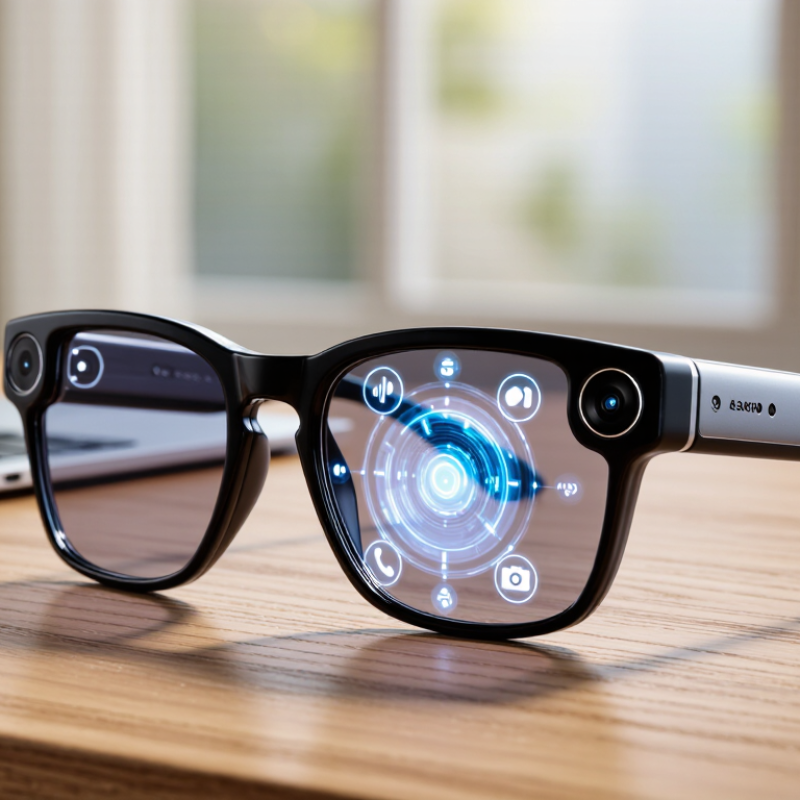
Wearable technology glasses differ mainly in what they add to ordinary eyewear. Audio glasses use small speakers near the ears for calls, navigation, or podcasts. They keep the lenses visually simple, but sound may carry in a quiet room. Camera-equipped glasses capture photos or short clips through built-in controls. Check recording indicators, storage, and how easily you can pause capture. Small details matter.
Display glasses place text, alerts, or directions in the wearer’s view. Some overlay digital graphics on the surroundings, a more demanding form often called augmented reality. These models can feel heavier and may rely on a phone or separate computing unit. Prescription compatibility, battery life, field of view, and outdoor brightness vary widely. Try them in a familiar setting, not just under bright store lights. A quick fitting does not prove all-day comfort; nose pressure can become noticeable after an hour. Choose by your main task, since one pair rarely excels at every function.
A quick comparison of the experiences each type is designed to provide.
Bars indicate whether a capability is typical of that category, not a guaranteed specification. Features vary by model, and categories can overlap.
Start with the task. Are you navigating a busy commute, taking hands-free calls, or viewing simple prompts while cooking? Each use calls for different features. Counterpoint Research reported that global smart-glasses shipments grew 210% year over year in Q3 2024. That growth signals rising interest, not proof that every feature is useful. Write down your three most frequent situations before comparing models.
For calls, check microphone placement and whether your voice stays clear near traffic or kitchen noise. For navigation or prompts, look at display brightness, text size, and how easily information disappears from view. If you want photo or video capture, consider storage, battery life, and visible recording indicators. Check prescription-lens support and frame weight, too. Comfort matters. A pair that presses behind your ears after twenty minutes may not suit a full workday, however impressive its specifications look.
One awkward truth: a feature list cannot show how distracting a display feels outdoors. Try the glasses in realistic lighting, and test them with your usual phone and apps. Review the manufacturer’s privacy settings and data-handling details before enabling microphones, cameras, or cloud services. Those settings can be confusing. I would treat advertised battery life as an estimate; calls, displays, and frequent connectivity may shorten it. A brief fitting session often reveals more than another comparison chart.
Before comparing frame styles, confirm the glasses work with your phone and operating system. Check the required app, connection type, and permissions, then look for limits on calls, notifications, or file sharing. A device may connect but still lack a feature you expect. Small details matter.
Display quality is easiest to judge in person. Look at text against a bright window, then move into a dimmer room. Check whether menus stay readable and whether the screen sits comfortably in your field of view. Try a short video or navigation prompt, if available. Brightness can feel impressive indoors and disappointing outdoors.
Test the controls while wearing the glasses, not just while holding them. Tap areas should be easy to locate, and buttons should respond without shifting the frame. Try adjusting volume, dismissing a notification, and starting a voice command. Voice controls may struggle in noisy places, so keep a manual option in mind. A careful check can still miss something; comfort and usability may change after an hour.
Comfort shows up after an hour, not during a quick store try-on. Wear the glasses for several minutes and check for pressure behind your ears, slipping at the bridge, or heat near the temples. Try them on. Then look down, turn your head, and read a screen. A heavier frame may feel fine at first, but become tiring on a commute. Check whether prescription lenses or protective cases add weight. Small details matter.
Battery claims need context: ask how recording, calls, and display use affect runtime, not just standby time. A battery that lasts all day with basic use may drain faster during frequent capture. Check charging time and whether you can replace or service the battery. For durability, inspect hinges, lens coatings, and the charging port; ask for specific water- and dust-resistance test ratings. Privacy deserves equal scrutiny. Pew Research Center’s 2023 report, “How Americans View Data Privacy,” found that 73% of U.S. adults felt they had little or no control over companies’ use of their data. Review what the glasses record, where footage is stored, and how to disable microphones or cameras. I would not assume a visible indicator answers every privacy question; read the settings and test them yourself.
Before comparing prices, wear each pair for at least twenty minutes. Walk, read a phone screen, and check whether the frame slips or presses behind your ears. Test the display in bright daylight and a dim room. Try the microphone in a quiet space, then beside ordinary background noise. Small discomfort matters. A model that feels fine in a shop may irritate after an hour. My test would still be imperfect; head shape, prescription needs, and daily routines vary.
Price the full ownership period, not just the frame. Include prescription lenses, protective cases, replacement parts, paid software, battery service, and likely repair costs. Ask how long updates and technical support are expected to continue. IDC’s Worldwide Quarterly Wearable Device Tracker estimated 537.9 million wearable-device shipments in 2024, up 6.1% year over year; the figure includes watches and hearables, not only glasses. Grand View Research estimated the smart-glasses market at $1.93 billion in 2023 and projected a 27.3% annual growth rate through 2030. Those forecasts suggest a changing category, not guaranteed long-term support. Make a simple two-year cost sheet. Check the bill. Then compare each model’s comfort, useful features, and realistic service life—not its most impressive demo.
„Thanks to the LUVIR technology, the solder resist process could be switched directly from the previously used mask exposure to direct exposure. As an outstanding digital solution on the market, this technology has been able to demonstrate fast process times and superior quality on our certified conventional ink in production. This allowed us to fully digitize the solder mask process at low cost – without process or ink adjustments. An excellent benefit to our production in Rot am See.“
Ralf Göhringer (Head of Production WE Rot am See)
I would definitely recommend the Limata machine and team for a future company purchase
Michael Greenaway
Compunetics Inc.
“The Limata ldi has been amazing!! Best thing we did was buy this machine”
Richard Brady
GM
Circuitlabs
“Since 2019, we have been running the Limata X1000 LDI system (including LUVIR for solder mask imaging) in daily production as an addition to our current process with film. The machine was capable of properly exposing Taiyo PSR-4000 BN (DI) solder mask types on normal to high-copper boards using a new and unique direct imaging process. The machine operating interface is very user friendly which allowed for a quick technical training curve. The pre-registration processing reduced several seconds of production time at every print. Limata support and service staff is incomparable. They supported our team every step of the way at basically any time of the day or night, with literally, an immediate response time, customizing the software interface to best fit our Operations and needs.
We have exposed more than 8,000 prints since end of October, on various solder mask colors and some resist film panels. Limata, has proven to be very capable and innovative. They are a strong contender in the industry.
We have very much enjoyed this project, and working with the team!
Thank you Limata for the continued support and being a part of our growth.”
Bill Sezate
Vice President, GM
Summit Interconnect
As a replacement to our current contact exposure process with film, the LIMATA X2000 system including LUVIR-Technology was capable of properly exposing non-LDI solder mask types using a direct imaging process. The machine offers cutting edge software with a very intuitive operating interface which allowed for quick technician training curve. The dual drawer system combined with pre-registration processing reduced several seconds of production time at every machine cycle. Limata support and service staff is world class. They added software patches to keep production running at shortest possible response times, customized the software interface to best fit our in-house Operations system, and even wrote a step-by-step machine processing manual. As a result of the project, we have exposed more than 16,000 times on various product types and solder mask brands/colors. Limata, in a very short timeframe as a company, has definitely shown they are truly innovative and will be challenging the industry of direct imaging for the top spot.
Kevin Beattie
Process Engineer
TTM Technologies
Forest Grove Division