Choosing a receipt printer affects more than the checkout counter. Print speed, paper loading, connection options, and daily reliability all shape the experience for staff and customers. This guide explores what to consider when comparing MINJCODE thermal receipt printers for retail shops, cafés, restaurants, and other point-of-sale environments. The right fit depends on your setup.
Rather than treating one model as best for every business, the overview focuses on practical differences buyers can check: supported interfaces, printing performance, paper width, compatibility, and installation needs. A compact printer may suit a crowded counter, while a busy service desk may place greater value on fast output and straightforward paper changes. Small details matter. Even a clear specification sheet cannot predict every workplace challenge, so confirm the model’s compatibility with your POS software and devices before purchasing. This step is easy to overlook.
The sections ahead are designed to help readers compare options with realistic expectations, not just attractive feature lists. They also highlight questions worth asking about warranty coverage, technical support, and ongoing supplies. Those details deserve a closer look. MINJCODE thermal receipt printers may serve different workflows, but the best choice should match your transaction volume, workspace, and connection requirements. Use the comparison as a starting point, then verify current product specifications with the supplier.
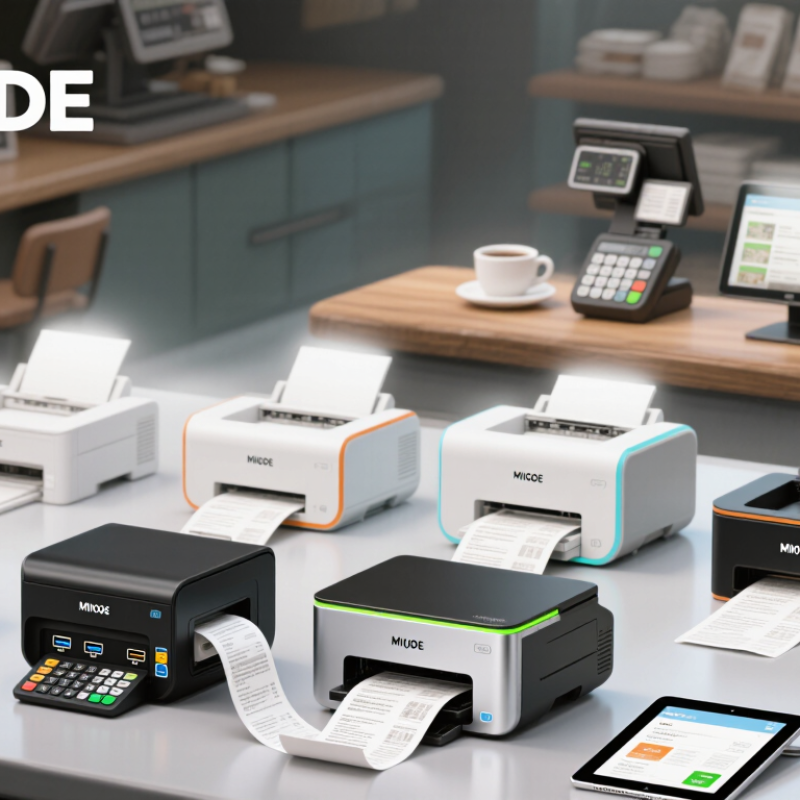
A thermal receipt printer turns digital transaction data into a printed record using controlled heat. Inside, a printhead contains many tiny heating elements arranged in a line. As the paper moves beneath it, selected elements warm specific points on the paper’s heat-sensitive coating. Those points darken, forming letters, prices, and barcodes. No ink cartridge is needed.
A controller translates the checkout system’s data into a pattern of heated dots. A motor and feed roller advance the paper evenly, while sensors help detect paper position or an empty roll. The result can appear within seconds. Print quality depends on several settings, including printhead temperature, paper condition, and feed speed. Excess heat may darken fine text; worn or unsuitable paper can make it faint. I would not assume every faded receipt signals a printer fault.
Tips: Store paper away from heat and direct sunlight. Keep the printhead clean, and load the roll in the correct direction. Check a sample receipt after changing paper or darkness settings. Small test prints help.
This technology suits busy checkout counters because it prints quietly and has few consumable parts. Still, direct-thermal receipts may fade over time, especially in warm or bright places. For records that need long-term legibility, confirm that the paper and storage conditions are appropriate. A quick visual check catches many issues, though not every one.
For busy checkout counters, an 80 mm thermal receipt printer is often the practical workhorse. Its wider paper can fit item descriptions, tax details, and return information without cramped lines. Look for a dependable auto-cutter, clear text, and USB or Ethernet connectivity that matches the point-of-sale setup. Fast printing helps during rushes, but stable paper feeding matters just as much. A jammed roll slows everyone down.
A compact 58 mm model suits kiosks, small shops, and counters with limited space. It uses narrower paper and can make receipts easier to store, though long product names may wrap awkwardly. Small counters benefit. Check whether the printer supports the required paper width and receipt commands before choosing it. Compatibility is easy to overlook, and a neat-looking device is not useful if the POS system cannot communicate with it.
Portable models add battery power and wireless options such as Bluetooth, making them useful for tableside service or temporary checkout points. Their value depends on battery life, pairing stability, and how often staff move around. A short test with the actual app, paper roll, and busiest shift can reveal issues that a feature list misses. Even experienced buyers can underestimate setup time. The best model is the one that prints legibly, reconnects reliably, and fits the daily workflow.
Choosing a thermal receipt printer is less about the biggest number on a specification sheet and more about checkout pace. Print speed, usually stated in millimeters per second, matters when receipts are long or customers arrive back-to-back. At a quiet counter, moderate speed may be enough. During a lunch rush, even a brief pause can feel longer.
Paper width affects both readability and counter space. A 58 mm roll works well for compact setups and short receipts. An 80 mm roll gives more room for item details, larger type, and clear totals. Wider paper needs a larger printer footprint and may increase supply costs. Check roll capacity and loading access, too. A cramped drawer makes replacement awkward.
Connectivity should match the devices and network already in use. USB is straightforward for a nearby register, while Ethernet can suit fixed counters with shared systems. Bluetooth offers flexibility for mobile setups, but distance and device compatibility deserve a real-world test. There is no perfect pairing. I would check the printer’s supported commands and driver options before buying; those details can matter more than a small speed advantage. A quick test with your actual receipt layout may also reveal slowdowns or cramped text.
A busy café needs a different receipt printer from a quiet appointment desk. Match the printer to daily order volume, counter space, and staff workflow. For a lunch rush, fast printing and a reliable cutter can keep queues moving. A compact unit may suit a small checkout area. Check that its paper roll is easy to replace during service.
Connectivity matters, too. USB can work well at a fixed register, while Ethernet may suit a shared point-of-sale network. Bluetooth can help with a tablet-based checkout, but confirm compatibility before buying. Test the printer with your actual POS software and receipt layout. Small differences in paper width or driver support can cause annoying setup delays.
Think about the environment. A dusty stockroom, a warm kitchen pass, and a calm reception counter place different demands on equipment. Look for clear setup instructions, accessible paper loading, and support for routine cleaning. Also consider the cost and availability of compatible rolls. More features are not always better. I would avoid choosing by speed alone; quieter operation or easier maintenance may matter more in a small shop. That trade-off is easy to miss. A short trial at the busiest counter can reveal whether the printer fits the real workflow.
| Business Need | Recommended Printer Type | Typical Paper Width | Common Print Resolution | Typical Print Speed | Useful Connectivity | Why It Fits |
|---|---|---|---|---|---|---|
| Small retail counter | Compact desktop thermal receipt printer | 58 mm or 80 mm | 203 dpi | About 90–200 mm/s | USB; some models also offer Ethernet or Bluetooth | Fits limited counter space and handles routine receipts without requiring ink or toner. |
| Busy supermarket or high-volume checkout | High-speed 80 mm desktop printer | 80 mm | 203 dpi | About 200–300 mm/s | USB and Ethernet; serial interfaces may be available | A wider print area and faster output can help reduce checkout delays during peak periods. |
| Café, restaurant, or kitchen order station | Desktop receipt printer with network support | 58 mm or 80 mm | 203 dpi | About 150–250 mm/s | Ethernet or Wi-Fi for networked systems; USB for direct connection | Network connectivity can support order printing from multiple terminals or approved point-of-sale systems. |
| Mobile sales, delivery, or curbside service | Portable battery-powered thermal printer | Usually 58 mm; some models support wider media | 203 dpi | About 50–100 mm/s | Bluetooth; some models also support Wi-Fi or USB | Battery operation and wireless pairing allow receipts to be printed away from a fixed checkout counter. |
| Self-service kiosk or unattended checkout | Embedded or kiosk thermal printer | Typically 58 mm or 80 mm, depending on the mechanism | 203 dpi | About 100–250 mm/s | USB, serial, or other interfaces specified for the kiosk system | A built-in mechanism can be integrated into an enclosure; confirm mounting, paper loading, and cutter requirements before selection. |
| Low-volume office or occasional point-of-sale use | Entry-level desktop thermal printer | Usually 58 mm or 80 mm | 203 dpi | About 90–150 mm/s | USB; optional network or wireless interfaces vary by model | A basic wired setup can be a practical choice when print volume and connection distance are limited. |
Specifications shown are representative ranges for common direct-thermal receipt printers, not guaranteed specifications for any particular model. Actual speed, paper compatibility, interfaces, cutter options, and operating-system support vary by device. Check the manufacturer’s technical documentation and confirm compatibility with your point-of-sale software before purchasing.
Grand View Research estimated the global thermal paper market at about US$4.4 billion in 2023, with continued growth projected through 2030. This points to steady demand, but market growth does not guarantee a printer will suit your counter. Match the printer to daily receipt volume, available space, and the paper roll size your staff can replenish easily.
Before buying, check print width, resolution, speed, and cutter rating against real tasks. A busy café needs reliable cutting and quick printing during a rush; a small service desk may value a compact body and simple paper loading more. Confirm that its USB, Ethernet, or wireless connection works with your point-of-sale system, and ask about driver support and warranty coverage. A neat specification sheet can still mislead. Test sample receipts for legibility, especially small item names and QR codes, before ordering multiple units.
Tips: Measure the counter and paper-roll compartment first. Print a full-shift test if possible, and note jams, fading, and cutter noise. Small details matter.
58 mm and 80 mm are common receipt-roll widths. Check the printer’s supported paper width and roll specifications before buying; the figures shown are paper widths, not printer performance ratings.
„Thanks to the LUVIR technology, the solder resist process could be switched directly from the previously used mask exposure to direct exposure. As an outstanding digital solution on the market, this technology has been able to demonstrate fast process times and superior quality on our certified conventional ink in production. This allowed us to fully digitize the solder mask process at low cost – without process or ink adjustments. An excellent benefit to our production in Rot am See.“
Ralf Göhringer (Head of Production WE Rot am See)
I would definitely recommend the Limata machine and team for a future company purchase
Michael Greenaway
Compunetics Inc.
“The Limata ldi has been amazing!! Best thing we did was buy this machine”
Richard Brady
GM
Circuitlabs
“Since 2019, we have been running the Limata X1000 LDI system (including LUVIR for solder mask imaging) in daily production as an addition to our current process with film. The machine was capable of properly exposing Taiyo PSR-4000 BN (DI) solder mask types on normal to high-copper boards using a new and unique direct imaging process. The machine operating interface is very user friendly which allowed for a quick technical training curve. The pre-registration processing reduced several seconds of production time at every print. Limata support and service staff is incomparable. They supported our team every step of the way at basically any time of the day or night, with literally, an immediate response time, customizing the software interface to best fit our Operations and needs.
We have exposed more than 8,000 prints since end of October, on various solder mask colors and some resist film panels. Limata, has proven to be very capable and innovative. They are a strong contender in the industry.
We have very much enjoyed this project, and working with the team!
Thank you Limata for the continued support and being a part of our growth.”
Bill Sezate
Vice President, GM
Summit Interconnect
As a replacement to our current contact exposure process with film, the LIMATA X2000 system including LUVIR-Technology was capable of properly exposing non-LDI solder mask types using a direct imaging process. The machine offers cutting edge software with a very intuitive operating interface which allowed for quick technician training curve. The dual drawer system combined with pre-registration processing reduced several seconds of production time at every machine cycle. Limata support and service staff is world class. They added software patches to keep production running at shortest possible response times, customized the software interface to best fit our in-house Operations system, and even wrote a step-by-step machine processing manual. As a result of the project, we have exposed more than 16,000 times on various product types and solder mask brands/colors. Limata, in a very short timeframe as a company, has definitely shown they are truly innovative and will be challenging the industry of direct imaging for the top spot.
Kevin Beattie
Process Engineer
TTM Technologies
Forest Grove Division