Choosing among Virtual Reality Devices in 2026 means comparing more than resolution or price. A headset can look impressive on a store display yet feel heavy after a twenty-minute session. Fit, lens clarity, tracking stability, and available content all shape the experience. Small details matter.
Industry data also calls for careful interpretation. IDC’s Worldwide Quarterly AR/VR Headset Tracker reported a 67.4% year-over-year drop in worldwide AR/VR headset shipments in the first quarter of 2024. That figure describes shipments, not active users, satisfaction, or the full market in 2026. It is a useful signal, but not a verdict on the technology. This distinction is easy to miss.
This guide compares leading devices by practical criteria: standalone performance, PC and console compatibility, display quality, comfort, controllers, and mixed-reality features. For example, color passthrough can make a kitchen table visible inside a headset, but image quality and latency vary between models. We also consider the cost of accessories and the software library, since a cheaper headset may require compromises elsewhere. Specifications alone do not settle the question. Device rankings can change with regional availability, software updates, and new releases, so no single model is best for every buyer. Use the comparisons as a starting point, then check current prices and support in your region before deciding.
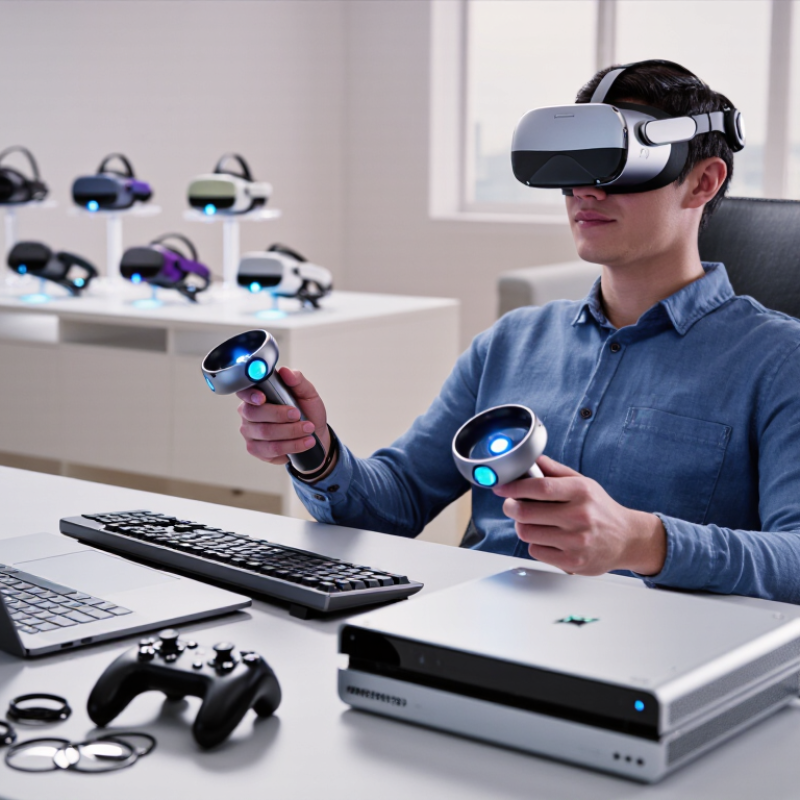
Virtual reality devices are best classified by where they get computing power, how they track movement, and how they are worn. Standalone headsets contain their own processor and battery; users can move around without a cable or nearby computer. Tethered systems connect to a computer or console, often enabling more demanding graphics, but a cable can limit movement. Phone-based viewers use a smartphone for display and processing. They are lightweight, yet usually offer less precise tracking and interaction.
There are trade-offs. A quick room-scale setup feels different from sitting beside a computer. The categories also blur: some standalone devices can connect to external computers, so classification is not always tidy. That matters when comparing products. Check tracking method, field of view, display resolution, comfort, and supported content, rather than relying on one label. Tiny details count.
Market estimates need careful reading, too. Grand View Research valued the global virtual reality market at about $59.96 billion in 2022 and projected a 27.5% compound annual growth rate from 2023 to 2030. That figure covers a broader market, not headset shipments alone. It signals investment, but does not prove that every device class is growing equally. The report is a useful reference, not a buying guide.
In 2026, a leading virtual reality device is defined less by one headline specification than by how its parts work together. Clear lenses should keep text readable near the edges, while stable tracking lets users reach for virtual objects without visible drift. Resolution matters, but so do lens glare and the effort needed to adjust focus. Details matter.
Comfort is equally important. A headset should sit securely without pressing hard on the nose, and its weight should feel balanced during longer sessions. Controllers need responsive buttons and reliable hand tracking, with options for people who cannot make precise gestures. Battery life, quick setup, and accessible menus determine whether powerful hardware gets used beyond a short demonstration. Not glamorous, but essential.
Useful mixed-reality passthrough should show a room clearly enough to locate a chair or read a nearby label, not merely add color. Spatial audio can make voices and cues easier to follow, while adjustable fit and prescription-lens support widen practical use. Buyers should check supported applications, update policies, and clear explanations of data settings. No headset is flawless. Sharper displays can reduce battery life, and lighter designs may feel less secure. Testing comfort for twenty minutes can reveal more than a specification sheet.
Standalone VR headsets run games and experiences without a computer or console. That freedom matters: you can clear a small space, put on the headset, and start moving. In 2026, compare comfort, display clarity, tracking, battery life, and available software—not just resolution figures. A sharp image can still feel tiring if the headset presses on your cheeks.
Check how the device handles your actual room. Passthrough cameras can show nearby furniture, but image quality and depth perception vary. Tracking should remain steady when you turn or reach overhead. Try adjusting the head strap and lenses, if possible. Small pressure points become obvious after twenty minutes. So does a slipping fit.
Battery life and storage deserve a close look, especially if you expect longer sessions or download several large games. Read recent independent reviews, since software updates can change performance after launch. Still, any checklist is imperfect: comfort depends on head shape, and advertised battery figures may not match your use. A lighter headset may suit casual play, while stronger visuals may matter more for detailed simulations. Choose the trade-off you will notice least.
| Device profile | Resolution per eye | Refresh rate | Field of view | Optics | Approx. headset weight | Standalone features |
|---|---|---|---|---|---|---|
| Advanced mixed-reality headset | 2,064 × 2,208 pixels | 90 Hz or 120 Hz | About 110° horizontal × 96° vertical | Pancake lenses | About 515 g | Inside-out 6DoF tracking; color passthrough; approximately 2.2 hours of typical use |
| Entry-level mixed-reality headset | 1,832 × 1,920 pixels | 90 Hz or 120 Hz | About 96° horizontal × 90° vertical | Fresnel lenses | About 514 g | Inside-out 6DoF tracking; color passthrough; approximately 2.5 hours of typical use |
| High-resolution mixed-reality headset | 2,160 × 2,160 pixels | Up to 90 Hz | About 105° | Pancake lenses | About 580 g | Inside-out 6DoF tracking; color passthrough; 5,700 mAh battery capacity |
Specifications are based on published device data. Weight, field of view, and battery life can vary with configuration, measurement method, software, and usage; battery-life figures are estimates rather than guaranteed runtimes.
In 2026, the leading PC-tethered VR systems suit players who value visual detail, precise tracking, and adjustable settings. A capable computer can render complex scenes with sharp textures and steady motion, but performance depends on the headset and graphics hardware working well together. Check the computer’s ports, room-tracking needs, and comfort before buying. A crisp display matters less when a heavy headset presses on your cheeks after twenty minutes. Cable management can also become an annoying part of play.
Console VR systems offer a more controlled setup. The hardware and software are designed to work together, so installation is usually simpler and performance is easier to predict. That matters. Their main trade-off is fewer options for upgrades and customization than many PC setups provide. Console libraries may also shape the experience more than raw technical specifications do. Look for reliable hand tracking, clear guidance during setup, and games that match your interests. Specifications alone can mislead; comfort and a stable frame rate often matter more during a long session. Even careful rankings have limits, because fit varies from person to person.
A useful comparison starts with the job you want the headset to do. For casual games or films, a lightweight, self-contained device avoids cables and setup delays. Check how it feels after twenty minutes, not just how it looks on a product page. Pressure on the forehead can become distracting. Short sessions matter.
For room-scale games and exercise, examine tracking stability, controller grip, and how much space you need to move safely. A bright display helps, but clear lenses and a secure fit may matter more during quick turns. If you plan to use a computer, confirm that your system can handle the headset’s resolution and connection requirements. More detail can mean a sharper image, but it can also demand stronger hardware.
For learning or shared work, compare comfort, text clarity, microphone quality, and how easily another person can join. Try reading small labels at a realistic distance; blurry text gets tiring fast. Also consider battery life, prescription-lens support, and whether the device is easy to clean between users. Specifications offer useful clues, but they cannot predict every face shape or tolerance for motion. This checklist is imperfect, too: a short in-store test may not reveal discomfort after an hour, so leave room in your budget and expectations for surprises.
„Thanks to the LUVIR technology, the solder resist process could be switched directly from the previously used mask exposure to direct exposure. As an outstanding digital solution on the market, this technology has been able to demonstrate fast process times and superior quality on our certified conventional ink in production. This allowed us to fully digitize the solder mask process at low cost – without process or ink adjustments. An excellent benefit to our production in Rot am See.“
Ralf Göhringer (Head of Production WE Rot am See)
I would definitely recommend the Limata machine and team for a future company purchase
Michael Greenaway
Compunetics Inc.
“The Limata ldi has been amazing!! Best thing we did was buy this machine”
Richard Brady
GM
Circuitlabs
“Since 2019, we have been running the Limata X1000 LDI system (including LUVIR for solder mask imaging) in daily production as an addition to our current process with film. The machine was capable of properly exposing Taiyo PSR-4000 BN (DI) solder mask types on normal to high-copper boards using a new and unique direct imaging process. The machine operating interface is very user friendly which allowed for a quick technical training curve. The pre-registration processing reduced several seconds of production time at every print. Limata support and service staff is incomparable. They supported our team every step of the way at basically any time of the day or night, with literally, an immediate response time, customizing the software interface to best fit our Operations and needs.
We have exposed more than 8,000 prints since end of October, on various solder mask colors and some resist film panels. Limata, has proven to be very capable and innovative. They are a strong contender in the industry.
We have very much enjoyed this project, and working with the team!
Thank you Limata for the continued support and being a part of our growth.”
Bill Sezate
Vice President, GM
Summit Interconnect
As a replacement to our current contact exposure process with film, the LIMATA X2000 system including LUVIR-Technology was capable of properly exposing non-LDI solder mask types using a direct imaging process. The machine offers cutting edge software with a very intuitive operating interface which allowed for quick technician training curve. The dual drawer system combined with pre-registration processing reduced several seconds of production time at every machine cycle. Limata support and service staff is world class. They added software patches to keep production running at shortest possible response times, customized the software interface to best fit our in-house Operations system, and even wrote a step-by-step machine processing manual. As a result of the project, we have exposed more than 16,000 times on various product types and solder mask brands/colors. Limata, in a very short timeframe as a company, has definitely shown they are truly innovative and will be challenging the industry of direct imaging for the top spot.
Kevin Beattie
Process Engineer
TTM Technologies
Forest Grove Division