An IPS panel is often praised for stable colors and wide viewing angles, but the label covers several distinct designs. S-IPS, H-IPS, e-IPS, AH-IPS, and Nano IPS each reflect changes in structure, manufacturing, or color performance. Their names can sound like a simple ranking. They are not. Features and results vary by manufacturer, screen size, and model.
Display analyst Dr. Raymond Soneira has emphasized a useful caution: “The human eye is not a colorimeter.” That matters when comparing panels. A vivid image in a bright showroom may hide uneven backlighting, limited contrast, or inaccurate color. Look at the specifications, but also check independent measurements and real viewing conditions. A photo editor may value calibrated color and uniformity; a gamer may care more about refresh rate and response time. Neither should assume that “Nano IPS” or “AH-IPS” guarantees the best screen.
Small details matter. A bright window can expose reflections; a dark scene can reveal IPS glow near the corners. Even two panels carrying the same label may look different. This guide compares the main IPS panel types, explains what their names do—and do not—tell you, and connects each design to practical uses. It also leaves room for a less tidy truth: panel terminology is inconsistent, and a marketing label alone cannot settle a buying decision.
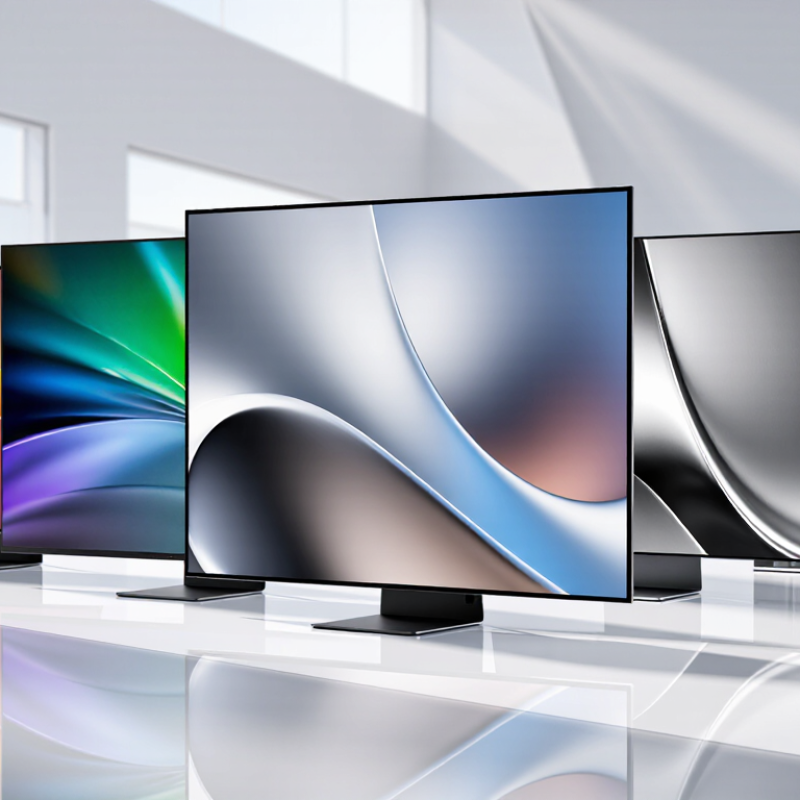
An IPS (in-plane switching) panel is a type of liquid-crystal display. It needs a backlight; the pixels do not produce light themselves. Light passes through polarizing layers, liquid crystals, and tiny red, green, and blue color filters. Each pixel combines these colors to create the image you see.
In an IPS cell, electrodes create an electric field that changes the crystals’ orientation within the plane of the panel. This controls how much light passes through each pixel. The process is repeated across millions of pixels, many times per second. That matters. Compared with some other LCD designs, IPS panels often keep colors and brightness more consistent when viewed from the side. Move your head across the screen, and a white window is less likely to look yellow or gray. Still, “wide viewing angles” does not mean a perfect image from every position. Dark scenes may show a faint glow, especially in a dim room. Contrast and color accuracy also vary by panel design and calibration. IPS is useful, but not magic. A quick visual check can help, though it cannot replace measuring the display under controlled conditions.
| IPS Type | General Characteristics | Common Strengths | Potential Limitations | Typical Use |
|---|---|---|---|---|
| S-IPS | An early Super IPS development, designed to improve viewing-angle behavior and reduce color shifts compared with earlier IPS implementations. | Broad viewing angles and more consistent color when viewed off-center. | Older implementations may have lower contrast or slower response than newer display designs. | Primarily found in older monitors and displays. |
| H-IPS | A later IPS design associated with a revised pixel structure and improved image uniformity in some implementations. | Good viewing angles and a smooth-looking image; some versions were suited to color-focused work. | Performance varies by panel and backlight; the label alone does not guarantee color accuracy. | Older consumer and professional monitors. |
| e-IPS | A cost-conscious IPS variation intended to make IPS characteristics available in more affordable displays. | Wide viewing angles and generally stable color at a lower price point. | Some models may offer a narrower color gamut or fewer advanced features than higher-end IPS monitors. | Budget monitors and general-purpose displays. |
| P-IPS | A professional-oriented IPS designation commonly associated with displays designed for demanding color and image work. | Some implementations support wide color gamuts and higher color depth. | Capabilities such as bit depth and gamut depend on the specific panel and display electronics; the name alone is not a specification. | Professional photo, video, and graphics workflows. |
| AH-IPS | An Advanced High Performance IPS generation developed to support improvements such as higher pixel density and efficient display operation. | Can combine broad viewing angles with sharp images and good color reproduction. | Contrast, response time, brightness, and color coverage differ considerably between models. | High-resolution monitors, laptops, tablets, and other modern displays. |
How IPS works: IPS (In-Plane Switching) uses liquid-crystal molecules that rotate largely within the plane of the panel when voltage is applied. This arrangement helps maintain more consistent color and image quality across wide viewing angles. The labels above are historical or market classifications, not a single universal performance standard; actual results depend on the complete display design.
IPS panels are best classified by design lineage and tuning, rather than one universal checklist. Common labels include S-IPS, H-IPS, e-IPS, AH-IPS, and Nano IPS. These terms generally refer to changes in electrode layout, light transmission, color handling, or response behavior. PLS is a closely related viewing-angle technology, often grouped with IPS in everyday discussions, though it is not technically an IPS label.
Older S-IPS and H-IPS designs helped establish consistent colors across wide viewing angles. Later e-IPS designs aimed to improve light transmission and affordability. AH-IPS typically describes refinements to image detail and color reproduction, while Nano IPS refers to a color-filter approach designed to expand gamut. The labels can be messy: manufacturers and reviewers do not always use them consistently. Also, refresh rate, resolution, and bit depth are separate specifications, not IPS panel types. A bright 27-inch screen may still have modest contrast, so subtype alone cannot predict the full experience.
Tips: Check measured contrast, color coverage, and response time alongside the panel label. View a dark scene from the side, if possible. Small differences matter. For design work, verify calibration needs; vivid colors do not automatically mean accurate colors.
IPS is a family, not one fixed panel design. S-IPS refined early IPS behavior, while H-IPS changed the electrode layout to improve light transmission and perceived contrast. These names describe design generations, not a universal quality ranking. The labels are messy.
e-IPS was positioned as a lower-cost design, often used in everyday monitors. AH-IPS generally refers to later designs targeting sharper detail and improved color performance, but results still depend on panel tuning and backlighting. PLS is a closely related viewing-angle technology, not technically an IPS subtype. In practice, a bright office screen and a color-critical editing screen can both use IPS, yet behave quite differently.
Check measurements, not just labels. VESA’s DisplayHDR specification sets a 400 cd/m² peak-luminance requirement for its entry HDR tier; that figure describes display performance, not an IPS variant. For a real comparison, inspect independent tests for contrast, brightness uniformity, color accuracy, and viewing-angle shifts. A panel may look vivid head-on but show uneven gray tones near the corners. That detail is easy to miss. I would treat variant names as clues, then verify the actual test data.
IPS variants differ less by their basic pixel structure than by tuning, backlighting, and coatings. Standard IPS usually offers stable viewing angles and balanced color, while Fast IPS prioritizes quicker pixel transitions for motion-heavy games. Nano IPS uses a wider color gamut approach, but wider gamut does not automatically mean better accuracy. IPS Black is designed to deepen dark tones; measured contrast still varies by panel and settings.
That caveat matters.
VESA’s DisplayHDR test specification sets peak-luminance tiers at 400, 600, and 1,000 cd/m² under defined test conditions. These figures describe HDR performance, not IPS panel types, so they cannot prove that one variant has better contrast or response time.
In practice, check measured gray-to-gray transitions, contrast, and color accuracy together. A fast-looking mode can also introduce overshoot, leaving faint bright trails around moving objects. Review data should state the test method and settings; otherwise, comparisons can be misleading.
Even careful measurements have limits. Viewing distance, room lighting, and individual sensitivity change what feels smooth or vivid.
Choosing an IPS panel starts with the work you do most often. Standard IPS panels suit office tasks, browsing, and photo editing because they offer consistent colors across wide viewing angles. A white document stays readable when you shift in your chair. For detailed color work, check the panel’s measured color coverage and calibration options; “IPS” alone does not guarantee accurate color.
Fast IPS panels are designed for gaming, with quicker pixel response and higher refresh rates. They can make fast camera turns look clearer, though results depend on the monitor’s tuning and the game’s frame rate. Some models use overdrive settings that create bright trails around moving objects. Test different settings if possible. That small step matters.
Wide-gamut IPS panels, including those marketed with enhanced color technologies, can show richer reds and greens for video work and vivid games. They may also oversaturate ordinary content unless color management is configured. IPS glow can appear as a faint haze in dark scenes, especially near screen corners. It is worth checking a panel in a dim room before buying. Labels vary, and real-world performance sometimes contradicts the spec sheet.
„Thanks to the LUVIR technology, the solder resist process could be switched directly from the previously used mask exposure to direct exposure. As an outstanding digital solution on the market, this technology has been able to demonstrate fast process times and superior quality on our certified conventional ink in production. This allowed us to fully digitize the solder mask process at low cost – without process or ink adjustments. An excellent benefit to our production in Rot am See.“
Ralf Göhringer (Head of Production WE Rot am See)
I would definitely recommend the Limata machine and team for a future company purchase
Michael Greenaway
Compunetics Inc.
“The Limata ldi has been amazing!! Best thing we did was buy this machine”
Richard Brady
GM
Circuitlabs
“Since 2019, we have been running the Limata X1000 LDI system (including LUVIR for solder mask imaging) in daily production as an addition to our current process with film. The machine was capable of properly exposing Taiyo PSR-4000 BN (DI) solder mask types on normal to high-copper boards using a new and unique direct imaging process. The machine operating interface is very user friendly which allowed for a quick technical training curve. The pre-registration processing reduced several seconds of production time at every print. Limata support and service staff is incomparable. They supported our team every step of the way at basically any time of the day or night, with literally, an immediate response time, customizing the software interface to best fit our Operations and needs.
We have exposed more than 8,000 prints since end of October, on various solder mask colors and some resist film panels. Limata, has proven to be very capable and innovative. They are a strong contender in the industry.
We have very much enjoyed this project, and working with the team!
Thank you Limata for the continued support and being a part of our growth.”
Bill Sezate
Vice President, GM
Summit Interconnect
As a replacement to our current contact exposure process with film, the LIMATA X2000 system including LUVIR-Technology was capable of properly exposing non-LDI solder mask types using a direct imaging process. The machine offers cutting edge software with a very intuitive operating interface which allowed for quick technician training curve. The dual drawer system combined with pre-registration processing reduced several seconds of production time at every machine cycle. Limata support and service staff is world class. They added software patches to keep production running at shortest possible response times, customized the software interface to best fit our in-house Operations system, and even wrote a step-by-step machine processing manual. As a result of the project, we have exposed more than 16,000 times on various product types and solder mask brands/colors. Limata, in a very short timeframe as a company, has definitely shown they are truly innovative and will be challenging the industry of direct imaging for the top spot.
Kevin Beattie
Process Engineer
TTM Technologies
Forest Grove Division