Interactive Boards are changing how teachers present ideas, organize lessons, and involve students in modern classrooms. Instead of writing every example on a crowded whiteboard, educators can display diagrams, videos, maps, and live annotations within seconds. A science teacher might enlarge a cell structure while students label its parts together. A language teacher can move words across the screen to build a sentence. These small actions make learning more visible and easier to discuss.
The strongest reason to choose Interactive Boards is their flexibility. Teachers can adjust explanations for different learning needs, enlarge text for students with limited vision, and replay recorded demonstrations when concepts remain unclear. Touch interaction also encourages participation from quieter learners, although it does not guarantee engagement. Good teaching still requires clear goals, thoughtful questioning, and patient classroom management. The technology supports expertise; it cannot replace it.
Practical experience matters.
Reliable use begins with careful planning. Schools should examine screen brightness, sound quality, software compatibility, accessibility features, and data protection before purchasing equipment. Teachers also need time to practice, because a frozen connection can interrupt an otherwise effective lesson. Maintenance costs deserve attention, too. Some schools may discover that simple tools serve certain classes better. This is an uncomfortable but important point. Interactive Boards are not a universal solution. Their value depends on purposeful use, teacher confidence, and students’ real responses. When selected responsibly, they can create more visual, collaborative, and adaptable learning experiences without turning the classroom into a technology showcase.
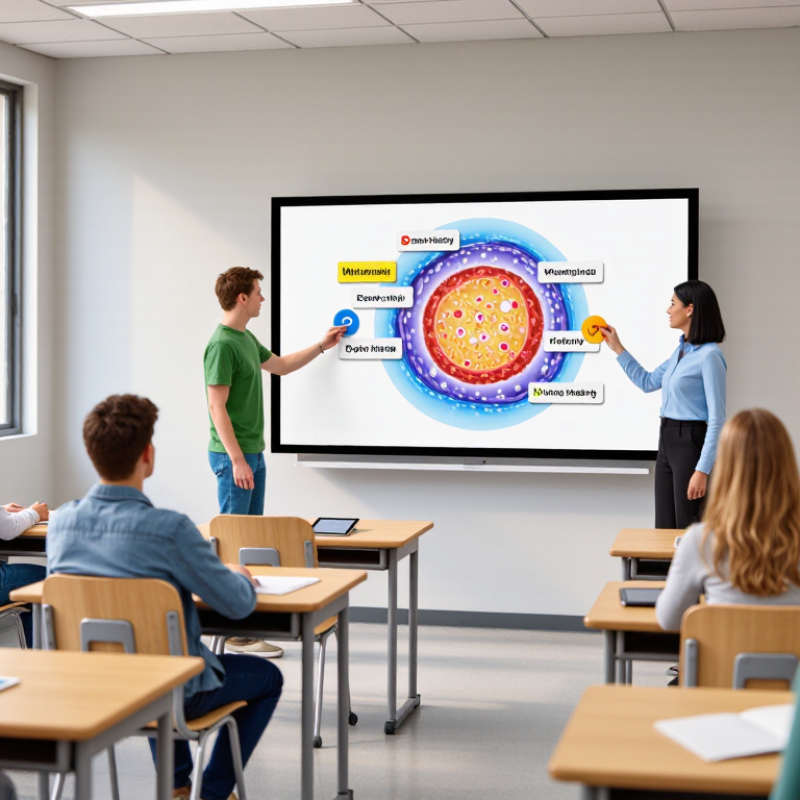
Interactive boards are large digital screens that combine display, touch, speakers, and computer functions. They show lesson slides, videos, maps, and student work on one surface. Unlike a projector, the board can receive input directly from fingers or a stylus. Infrared sensors usually detect touch by locating interrupted light beams. The connected computer then converts that movement into writing, drawing, or commands.
This process makes a lesson more visual and responsive. A teacher can circle a word, move a diagram, or save annotations for later review. Students can solve problems at the board and compare different methods. However, the technology does not automatically improve learning. UNESCO’s Global Education Monitoring Report 2023 found that only 40% of primary schools worldwide had internet access. A powerful board may still depend on weak connectivity. OECD PISA 2022 also reported that about 30% of students felt distracted by digital devices in most mathematics lessons. That warning deserves attention. An interactive board can become an expensive wall display.
Tips: Check touch accuracy, viewing angle, speaker quality, and software compatibility before purchase. Test the board with real classroom lighting. Keep a physical backup for lessons involving unstable networks. Use short interactive tasks, not constant screen movement. Teachers should also learn how to export notes, protect student data, and manage multiple users. These details seem minor, but they often decide whether the board supports teaching or simply adds another device.
Interactive boards support modern classroom instruction by making ideas visible, movable, and easier to discuss. A teacher can display a map, circle a pattern, and invite students to annotate it from their seats. Touch controls also support sorting tasks, visual timelines, and short classroom polls. These features help teachers check understanding before misconceptions become habits.
The OECD’s PISA 2022 analysis found that students using digital devices for learning for up to one hour daily scored 14 points higher in mathematics than students who never used them, after accounting for socioeconomic differences. This evidence concerns digital learning broadly, not interactive boards alone. Still, it supports purposeful technology use. The board should serve the lesson, not dominate it. A clear visual, readable text, and simple navigation matter more than decorative effects. Teachers also need accessible contrast, captions, adjustable text, and non-digital alternatives for students who need them.
Real classroom use is rarely perfect. Glare can hide a diagram. Touch input can lag. A wireless connection may fail during a key explanation. That is why reliable boards need fast start-up, flexible connectivity, and easy content sharing. The UNESCO Global Education Monitoring Report 2023 warns that technology brings value only when access, teacher preparation, and learning goals align. A short exit question on the board can reveal more than a crowded screen. Yet even that method needs reflection: quiet students may understand the lesson but avoid public responses.
Interactive boards can turn a quiet classroom into an active learning space. A science teacher might display a moving water cycle, then ask students to label evaporation with their fingers. The lesson becomes visible and touchable. Students do more than watch. They predict, move images, explain choices, and correct mistakes in public. In my classroom experience, even hesitant learners often speak more when they can point to evidence on the screen.
Engagement grows through quick interaction. A teacher can show a problem, invite several answers, and compare the reasoning behind each one. Short polls reveal confusion before it becomes frustration. Students can drag a timeline, highlight a paragraph, or build a simple diagram together. Classroom research commonly links active participation with stronger attention and memory, although results depend on lesson design. The board supports learning; it does not create it alone.
Some lessons still fall flat. Students may watch passively while the teacher controls every tap. Technical delays can also break momentum. I have seen a carefully prepared activity lose focus after a connection failed. That experience encourages backup materials and simpler tasks. Teachers should plan questions, movement, and discussion around the board, not merely place slides on it. A screen can attract eyes. Thoughtful interaction earns attention.
| Engagement Dimension | How Interactive Boards Support It | Observable Classroom Indicator | Evidence-Based Finding | Practical Implementation Guidance |
|---|---|---|---|---|
| Active Participation | Students can annotate, classify, drag, match, solve, and manipulate visual content at the front of the classroom. | More students contribute answers or explanations instead of only watching a presentation. | Supported with conditions Research reviews report increased opportunities for whole-class participation when lessons require students to interact with content. | Use short student-led tasks and rotate participation. Avoid using the board only as a projected display. |
| Attention and Focus | Dynamic visuals, handwriting, diagrams, animations, and immediate content changes can make explanations easier to follow. | Students remain oriented toward the shared lesson focus and can connect spoken explanations with visible actions. | Promising Studies commonly associate visual and interactive presentation with improved classroom attention, although effects depend on lesson design. | Keep visuals purposeful, limit unnecessary animation, and reveal information step by step. |
| Collaborative Learning | A shared digital workspace allows pairs or groups to contribute ideas, compare answers, and discuss solutions. | Students explain reasoning to peers and revise answers after group discussion. | Supported with conditions Classroom research links interactive board use with more visible dialogue and collaborative discussion when teachers use questioning and peer explanation. | Design group challenges with more than one valid contribution and ask students to justify changes on the board. |
| Immediate Feedback | Teachers can reveal answers, edit examples, annotate misconceptions, and adjust the next activity during the lesson. | Misconceptions are identified and addressed before students move to independent practice. | Instructionally useful Research identifies rapid feedback and flexible lesson adjustment as important benefits of interactive classroom technology. | Use quick checks for understanding, then modify examples or grouping based on student responses. |
| Multimodal Learning | Text, images, diagrams, audio, video, handwriting, and physical manipulation can be combined in one lesson sequence. | Students access concepts through more than one representation and can switch between visual and verbal explanations. | Supported for accessibility Research reviews describe multimodal presentation as a potential benefit, particularly when multiple representations clarify rather than duplicate information. | Provide readable contrast, meaningful labels, captions where needed, and alternative ways to participate. |
| Student Agency | Students can present work, demonstrate methods, organize information, and make visible edits during class. | Students take responsibility for explaining processes and evaluating their own or peers’ work. | Promising Qualitative classroom studies report stronger student involvement when learners use the board as a workspace rather than a teacher-controlled screen. | Let students choose examples, lead demonstrations, and annotate peer work using clear success criteria. |
| Lesson Flow and Retrieval | Teachers can save, revisit, and build on annotated lesson content instead of erasing the board after each activity. | Students review earlier reasoning and connect new content with previous examples. | Potential benefit Research identifies lesson storage and reuse as useful for continuity, revision, and classroom review. | Save key stages of the lesson and use them for retrieval questions rather than simply replaying the full lesson. |
| Learning Outcomes | Interactive activities can support explanation, practice, feedback, and formative assessment. | Students demonstrate clearer reasoning, corrected misconceptions, or improved task completion. | Not automatic Systematic reviews have not established that interactive boards alone consistently improve attainment; pedagogical use is the decisive factor. | Align every board activity with a learning objective and assess understanding independently of the technology. |
| Teacher Practice | The board supports annotation, modeling, questioning, resource integration, and real-time adaptation. | The teacher spends more time eliciting, modeling, and responding to student thinking. | Depends on training Research reports that benefits are reduced when teachers use the board mainly for one-way presentation or lack sufficient preparation time. | Provide training focused on questioning, collaborative routines, accessibility, and lesson planning rather than hardware operation alone. |
| Evidence base: Higgins, S., Beauchamp, G., & Miller, D. (2007), “Reviewing the Literature on Interactive Whiteboards”; Smith, H. J., Higgins, S., Wall, K., & Miller, J. (2005), “Interactive Whiteboards: Boon or Bandwagon?”; DiGregorio, P. & Sobel-Lojeski, K. (2010), “The Effects of Interactive Whiteboards on Student Performance and Learning.” Findings are summarized conservatively: interactive boards can improve engagement when integrated with active pedagogy, but the technology itself does not guarantee higher achievement. | ||||
Interactive boards can make daily teaching more practical, especially when teachers manage varied learning needs. A teacher can display a map, annotate a paragraph, and save the lesson in seconds. Students can also interact with diagrams instead of watching passively.
The Education Endowment Foundation’s Digital Technology Toolkit estimates an average learning gain of four additional months when technology is used effectively. The important phrase is “used effectively.”
For teachers, interactive boards reduce repeated preparation. Lesson notes, student answers, and visual examples can stay visible during discussion. This supports clearer explanations and faster feedback. It also helps teachers adjust activities when students struggle.
However, the board cannot replace strong questioning or classroom relationships. A bright screen may still deliver a weak lesson. That happens.
School management gains more than a modern-looking classroom. Shared digital resources can support curriculum consistency across departments. Training records and lesson templates may also improve professional collaboration.
UNESCO’s 2023 Global Education Monitoring Report warns that technology benefits depend on access, governance, and teacher preparation. A purchase without training creates expensive furniture.
Leaders should examine installation costs, accessibility, maintenance, and teacher workload before approval. OECD PISA 2022 also reported that about 30% of students were distracted by digital devices in most or every mathematics lesson. Therefore, schools need clear routines, not unlimited screen time. A short trial with teacher feedback may reveal problems that sales demonstrations miss.
Choosing an interactive board should begin with classroom realities, not screen size. Measure viewing distance, wall space, lighting, and student movement. A bright display can still fail when sunlight washes out handwritten notes.
Test touch accuracy with a real lesson. Can a teacher write smoothly, move images, and save annotations in seconds? Check compatibility with existing laptops, learning platforms, document cameras, and accessibility tools. Built-in screen sharing may reduce setup time, but unstable connections can interrupt a mathematics demonstration.
Do not ignore maintenance. Ask about replacement parts, software updates, data protection, warranty coverage, and training hours. Calculate the total cost over five years, including installation and support.
I have seen teachers avoid advanced features after short training sessions. That is a design failure, but also a planning failure.
A pilot lesson with several teachers can reveal glare, audio problems, delayed touch response, and awkward classroom angles before a large purchase. Some weaknesses will remain. Test them honestly.
„Thanks to the LUVIR technology, the solder resist process could be switched directly from the previously used mask exposure to direct exposure. As an outstanding digital solution on the market, this technology has been able to demonstrate fast process times and superior quality on our certified conventional ink in production. This allowed us to fully digitize the solder mask process at low cost – without process or ink adjustments. An excellent benefit to our production in Rot am See.“
Ralf Göhringer (Head of Production WE Rot am See)
I would definitely recommend the Limata machine and team for a future company purchase
Michael Greenaway
Compunetics Inc.
“The Limata ldi has been amazing!! Best thing we did was buy this machine”
Richard Brady
GM
Circuitlabs
“Since 2019, we have been running the Limata X1000 LDI system (including LUVIR for solder mask imaging) in daily production as an addition to our current process with film. The machine was capable of properly exposing Taiyo PSR-4000 BN (DI) solder mask types on normal to high-copper boards using a new and unique direct imaging process. The machine operating interface is very user friendly which allowed for a quick technical training curve. The pre-registration processing reduced several seconds of production time at every print. Limata support and service staff is incomparable. They supported our team every step of the way at basically any time of the day or night, with literally, an immediate response time, customizing the software interface to best fit our Operations and needs.
We have exposed more than 8,000 prints since end of October, on various solder mask colors and some resist film panels. Limata, has proven to be very capable and innovative. They are a strong contender in the industry.
We have very much enjoyed this project, and working with the team!
Thank you Limata for the continued support and being a part of our growth.”
Bill Sezate
Vice President, GM
Summit Interconnect
As a replacement to our current contact exposure process with film, the LIMATA X2000 system including LUVIR-Technology was capable of properly exposing non-LDI solder mask types using a direct imaging process. The machine offers cutting edge software with a very intuitive operating interface which allowed for quick technician training curve. The dual drawer system combined with pre-registration processing reduced several seconds of production time at every machine cycle. Limata support and service staff is world class. They added software patches to keep production running at shortest possible response times, customized the software interface to best fit our in-house Operations system, and even wrote a step-by-step machine processing manual. As a result of the project, we have exposed more than 16,000 times on various product types and solder mask brands/colors. Limata, in a very short timeframe as a company, has definitely shown they are truly innovative and will be challenging the industry of direct imaging for the top spot.
Kevin Beattie
Process Engineer
TTM Technologies
Forest Grove Division